
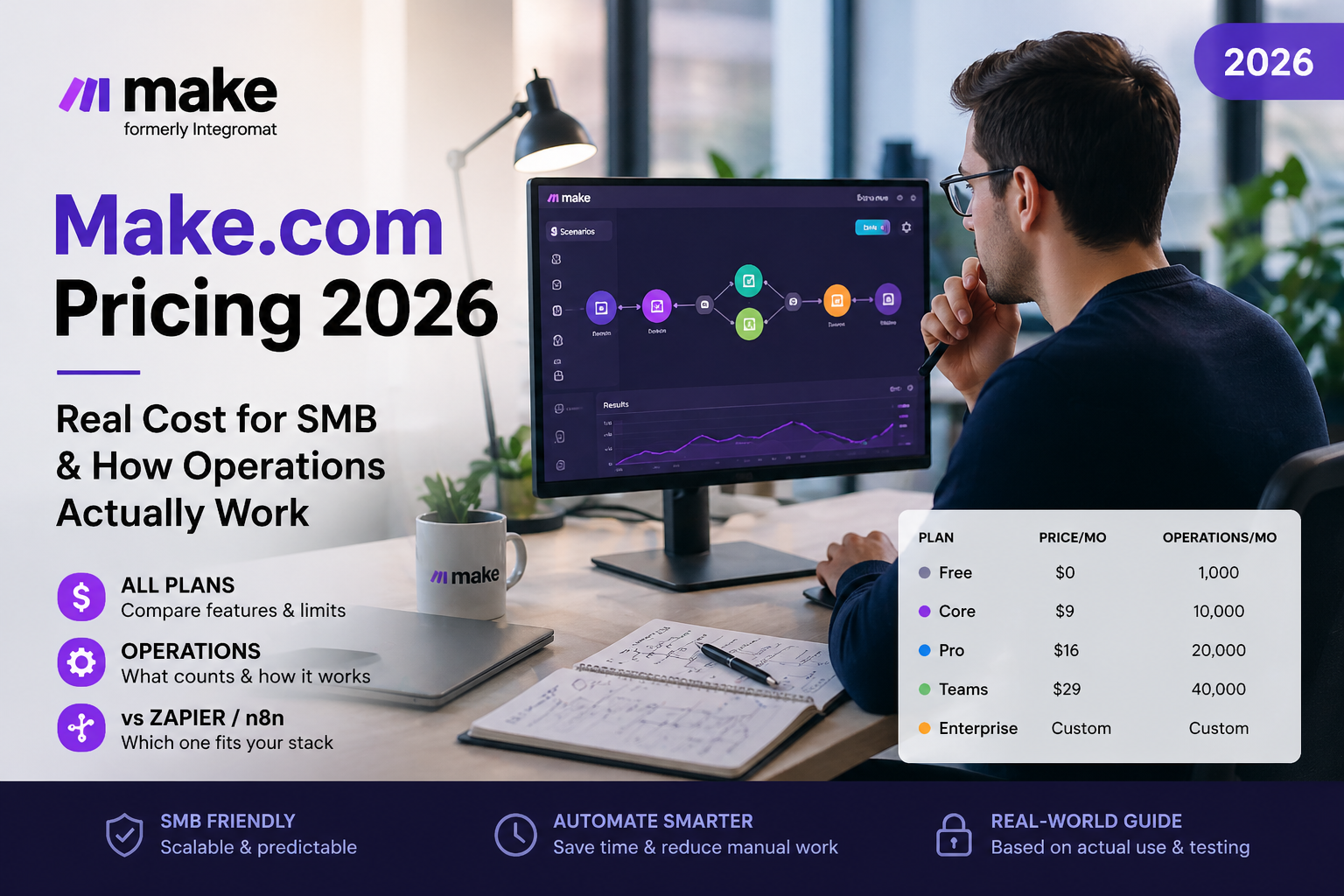
TL;DR: Make.com (formerly Integromat) is one of the cheapest serious automation platforms in 2026 — Core starts at $10.59/month for 10,000 operations, roughly 3–5× cheaper than Zapier at the same volume. But pricing pages don’t tell the full story: operations include triggers, filters, and iterators, so a “10,000-op plan” can vanish faster than you think. This guide breaks down what each tier really costs, how operations get burned, real-world cost examples for SMBs, and when Make stops being the cheapest option.
Table of Contents
- Quick answer: what Make.com will actually cost you
- How the operations system works (the foundation of pricing)
- All Make.com plans 2026: Free, Core, Pro, Teams, Enterprise
- Real cost of automation: 4 SMB scenarios with calculations
- Make.com vs Zapier vs n8n: pricing comparison
- 7 practical ways to save on Make.com
- When Make becomes too expensive — and what to switch to
- Verdict: who should pay for Make in 2026
- FAQ
Quick answer: what Make.com will actually cost you
If you run an SMB with 5–15 active scenarios and average volume, you’ll pay $10.59/month on Core for 10,000 operations, billed annually. Most SMBs never need to upgrade. If you have a team needing shared editing or you’re running 30,000+ operations monthly, expect $34.12/month on Teams plus extra-operation packs (~$11 per 10,000 ops, with a 25% markup since late 2025).
The trap most guides hide: Make charges for triggers, filters, and iterators as separate operations. A workflow that looks like “3 steps” on the canvas easily consumes 8–15 operations per run. For a wider perspective, see our overview of Zapier alternatives including Make, n8n and Pabbly.
How the operations system works (the foundation of pricing)
Make’s pricing is built around one unit: the operation. Understanding it is the difference between a $10/month bill and a $100 surprise. An operation is one module execution inside a scenario. Each module that runs counts — every single time the scenario fires.
Take a workflow with 3 visible steps: “new email arrives → save attachment to Drive → ping Slack.” That’s 3 operations per run. So far so good. But here’s where most people miscalculate:
- Triggers count as operations. Even checking for “did anything change?” eats an op every poll. Zapier doesn’t count triggers — Make does.
- Filters count as operations. A filter step deciding “should this run continue?” is itself an op. On Zapier, filters are free.
- Routers and iterators multiply operations. An iterator looping through 10 line items = 10 operations for that step alone.
- Polling triggers are silent budget killers. A trigger checking for new leads every minute uses ~43,000 operations per month just for the polling itself, before any action runs. Use webhooks whenever the source app supports them.
Quick mental model: count every visible module on your canvas, including triggers and filters, then multiply by expected runs per month. New to webhooks as the cheaper alternative to polling? Read our primer on what a webhook is and how to test it — switching from polling to webhooks alone can cut operation usage by 80–95%.
All Make.com plans 2026: Free, Core, Pro, Teams, Enterprise
All prices below assume annual billing. Monthly billing is roughly 30% more. Here’s the honest breakdown of each tier:
Free plan — testing only
- Price: $0/month
- Operations: 1,000/month
- Active scenarios: 2
- Minimum interval between scheduled runs: 15 minutes
- Apps: 3,000+ integrations
- Honest take: 1,000 operations sounds like a lot, but a typical 3-step scenario uses 3 ops per run. That’s only ~330 runs per month. Fine for evaluation, useless for production.
Core — $10.59/month
- Operations: 10,000/month
- Active scenarios: Unlimited
- Minimum interval: 1 minute
- Includes: Make API access, webhooks, all apps, custom AI provider connections (added Nov 2025)
- Honest take: This is where Make becomes genuinely useful. For most freelancers and SMBs running predictable automations, Core is enough. The price-to-ops ratio (~$0.001 per op) is the best on the hosted-automation market.
Pro — $18.82/month
- Operations: 10,000/month (same as Core)
- Adds: Priority scenario execution, full-text execution log search, custom variables, advanced scheduling
- Honest take: Pro is confusing because the operation count is identical to Core. You’re paying $8.23 extra for faster scheduling priority and full-text log search. Worth it only for regular complex debugging or near-real-time execution. If workflows run on schedule, stay on Core.
Teams — $34.12/month
- Operations: 10,000/month (same base)
- Adds: Team roles and permissions, shared scenario templates, scenario folders, multiple users
- Honest take: The jump from Pro to Teams is 81% in price for what is essentially admin functionality. Worth it only with 3+ people editing scenarios separately. Solo operators and 2-person teams can skip Teams entirely.
Enterprise — custom pricing
- Operations: Custom volumes
- Adds: SSO, SCIM, audit logs, advanced security, 24/7 support, Enterprise app integrations, overage protection
- Honest take: Worth pursuing only if compliance, governance, or scale (millions of operations) require it. SMBs almost never need this — and at high volumes, self-hosted n8n becomes more economical anyway.
Extra operations: the new 25% markup
As of November 2025, Make charges 25% more for additional operation packs than for the credits included in your plan. This applies whether you buy them manually or via auto-purchase. Practically: a 10,000-operation pack costs around $11 added to your monthly bill. Plan ahead — going $50 over your quota is fine; consistently going $200 over means you should upgrade tier or restructure scenarios.
Real cost of automation: 4 SMB scenarios with calculations
The published price is just the starting point. Here are realistic operation budgets for typical SMB use cases. All numbers assume webhook-based triggers wherever possible (polling would multiply usage 10–50×).
Scenario 1: Solo freelancer, 5 client workflows
5 active scenarios, average 4 modules each, ~50 runs per scenario per month. Operations math: 5 × 4 × 50 = 1,000 operations/month. Plan needed: technically Free, but you’ll hit the 2-scenario cap. Real answer: Core at $10.59/month = $127/year. Headroom for adding 2–3 more clients without upgrading.
Scenario 2: E-commerce store, 1,000 orders/month
One main scenario: Shopify webhook → enrich order data → CRM record → email confirmation → analytics push → Slack notification. 6 modules × 1,000 orders = 6,000 operations/month for the order flow alone. Add abandoned-cart recovery (~3,000 ops) and weekly reports (~200 ops): total ~9,200 ops. Core at $10.59/month still fits, but a 10–15% volume spike forces an extra-pack purchase ($11). Budget $130–145/year.
Scenario 3: Marketing agency, 8 clients, mixed automations
~25 scenarios across 8 clients: lead routing, email sequences, social cross-posting, weekly reports. Average 5 modules per scenario, varied frequency. Realistic total: 30,000–40,000 operations/month. Plan: Teams at $34.12/month + 2–3 extra packs (~$22–33). Total: $56–67/month, $670–800/year. Equivalent Zapier setup would run $250–400/month.
Scenario 4: Lead capture system with CRM and Telegram
200 leads/month flowing through a webhook-triggered pipeline: form submit → enrich → CRM deal creation → Telegram notification → email tag in ESP → Google Sheet log. 7 modules × 200 leads = 1,400 operations/month for this one scenario. Comfortably fits Core. Implementation guide for the underlying flow: see our website-to-CRM-to-Telegram integration walkthrough — the architecture transfers to Make 1:1.
Make.com vs Zapier vs n8n: pricing comparison
| Criterion | Make.com | Zapier | n8n |
|---|---|---|---|
| Free tier | 1,000 ops/month, 2 scenarios | 100 tasks, 2-step Zaps only | Unlimited (self-hosted) |
| Entry paid plan | $10.59 / 10,000 ops | $19.99 / 750 tasks | $24 / 2,500 executions (cloud) |
| Cost for 10k operations | $10.59 | ~$73 (Professional plan) | $0 self-hosted / $50 cloud |
| Triggers count as ops? | Yes | No | Yes (executions) |
| Filters count as ops? | Yes | No | Yes (per node) |
| Extra ops cost | ~$11 per 10k (25% markup) | $1.55 per 100 extra (Starter) | N/A self-hosted |
| Self-hosting | No | No | Yes (open source) |
| Best fit | Cost-conscious SMB | Reliability-first teams | Devs, high-volume ops |
Bottom line: at any realistic SMB volume, Make is 2.5–5× cheaper than Zapier. n8n self-hosted wins on raw cost above ~50,000 operations/month, but you pay in DevOps time. For a deeper feature comparison see our n8n vs Make breakdown.
7 practical ways to save on Make.com
- Replace polling triggers with webhooks wherever possible. A polling trigger checking every minute burns 43,200 ops/month doing nothing. The same workflow with a webhook trigger uses 1 op per actual event. This is the single biggest lever.
- Place filters as early as possible in the scenario. A filter consumes 1 op, but if it stops a 6-module flow that would otherwise have run, you save 5 ops downstream. Net savings compound at scale.
- Use aggregators instead of repeating actions. Sending 50 individual rows to a Google Sheet = 50 ops. Aggregating them into one bulk insert = 1 op for the action plus the iterator overhead. Always cheaper for batch operations.
- Choose the longest acceptable polling interval. If you can tolerate a 15-minute lag, use 15-minute polling. Going from 1-minute to 15-minute polling cuts that scenario’s trigger cost by 15×.
- Audit execution logs monthly to find “operation hogs.” The Pro plan’s full-text log search makes this trivial; on Core, sort by execution count. The top 3 scenarios usually account for 60–80% of total ops.
- Switch to annual billing. Saves ~30% vs monthly. If you’ve been using Make for more than 3 months and don’t plan to leave, this is free money.
- Refactor large scenarios into smaller, reusable sub-scenarios. Smaller scenarios are easier to disable when not needed and easier to audit for inefficiency. They also fail more gracefully — one broken module doesn’t kill an entire long pipeline.
Bonus tip for the technical reader: log your webhook events properly so you can debug without re-running entire scenarios. Our guide on how to log webhooks correctly covers the patterns that prevent you from burning ops on test runs.
When Make becomes too expensive — and what to switch to
Make is the cost leader for hosted automation up to a point. Past that point, the math shifts. Here are the clear thresholds where you should reconsider:
- Above 80,000–100,000 operations/month consistently. Math: Core ($10.59) + 9 extra-op packs ($99) = ~$109/month. At that price, n8n self-hosted on a $20 VPS pays for itself in DevOps time saved within 3 months. Migrate above this volume.
- Polling-heavy use cases that you can’t switch to webhooks. Some legacy systems just don’t support webhooks. If you must poll every minute and your source app forces it, n8n self-hosted (with no per-execution charges) becomes much cheaper fast.
- Real-time, mission-critical workflows where Pro priority isn’t enough. Pro’s “priority execution” still queues during heavy platform load. If sub-second latency matters and you’re seeing delays, move to a self-hosted setup or reliability-focused Zapier plans.
- Teams of 5+ people each editing scenarios. Teams plan was designed for 3-5 users. Beyond that, the per-seat economics break down compared to enterprise n8n or Workato.
- Compliance requirements (HIPAA, SOC 2 Type II for sensitive data). Make’s Enterprise covers most cases, but pricing climbs sharply. Self-hosted n8n on your own infrastructure is often easier to certify.
Verdict: who should pay for Make in 2026
Pay for Make.com if you: are a freelancer, solo operator, or SMB running 5,000–30,000 operations per month, want a polished visual builder, value the 3,000+ app catalog, and don’t want to run your own infrastructure. Core at $10.59/month is the best price-to-power ratio in hosted automation today.
Look elsewhere if you: burn 80,000+ ops/month consistently (n8n self-hosted), need bulletproof real-time execution (Zapier reliability tier), have strict compliance requirements, or have 5+ active scenario editors and Teams economics start hurting.
Honest take: start with the free plan, build one or two real scenarios you’d otherwise pay for, and watch operation usage for a week. That single data point tells you which tier to commit to better than any pricing calculator.
FAQ
What exactly is an operation in Make.com?
One operation = one module execution. Every module in a scenario that runs counts, including triggers, filters, routers, and iterators. A 3-module workflow uses 3 operations per run. An iterator looping through 10 items multiplies that step’s cost by 10. The single biggest source of unexpected bills is forgetting that triggers and filters count.
Do filters and routers really count as operations?
Yes. This is the main pricing difference vs Zapier, where filters are free. In Make, every filter, router branch evaluation, and trigger check consumes an operation. Place filters early in scenarios so they prune flows before expensive downstream modules run.
Can I buy extra operations if I run out?
Yes. Extra operations are sold in 10,000-op packs at roughly $11 each (with a 25% markup over included credits, applied automatically since November 2025). If you’re consistently buying 3+ packs per month, upgrading your plan is cheaper than topping up.
How much does annual vs monthly billing save?
Annual billing saves around 20–30% compared to month-to-month. Monthly Core is roughly $14, vs $10.59 on annual. If you’re committing for more than 4 months, annual is the obvious choice.
Is Make.com really cheaper than Zapier?
For equivalent workflow volumes, yes — typically 3–5× cheaper. Even accounting for Make counting more things (triggers, filters) as operations than Zapier counts as tasks, the price gap remains substantial. Make Core at $10.59 for 10,000 ops vs Zapier Professional at ~$73 is the typical SMB comparison.
When should I migrate from Make to n8n?
Break-even is around 80,000–100,000 operations per month. Above that, n8n self-hosted on a $20 VPS becomes cheaper than Make Core plus extra-op packs, even accounting for DevOps time. Below that volume, Make’s hosted convenience easily justifies the price. Also consider n8n if you have strict data-residency requirements.