
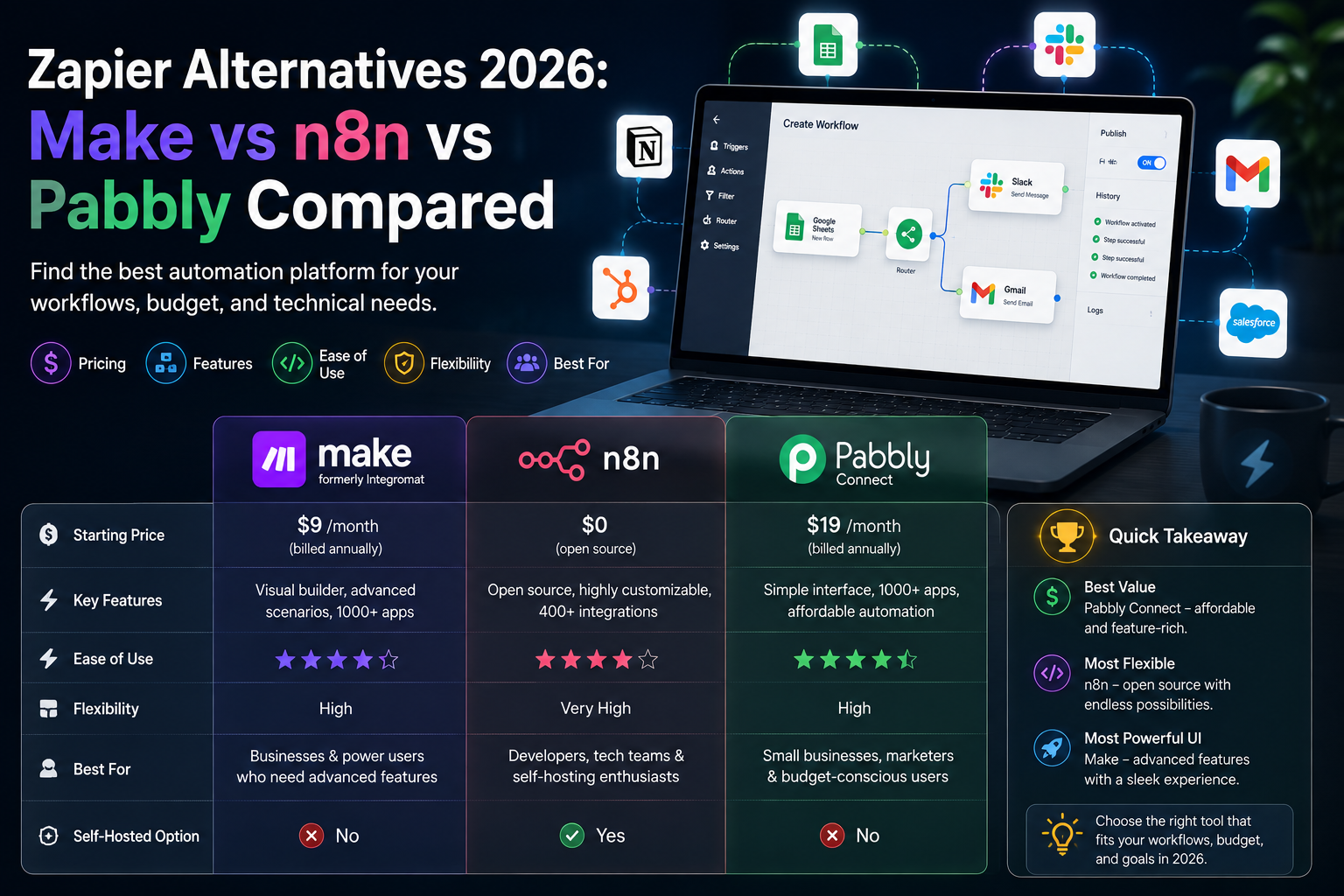
Zapier is where most marketing teams start automating — and where many of them get a nasty surprise at renewal. The moment your workflows grow past a couple of steps, the bill climbs fast, because Zapier charges for every action in every run. If you have opened your invoice and wondered whether you are overpaying for what you actually use, you are the reason this guide exists. Below we compare the three alternatives marketers switch to most — Make, n8n, and Pabbly Connect — on the things that decide the bill: pricing, how usage is counted, ease of use, and who each one genuinely fits. No hype, just the trade-offs, so you can pick the tool that does the same job for less.
Quick Answer: The Best Zapier Alternative for Marketers
For most small marketing teams, Make is the best all-round Zapier alternative — cheaper, visual, and priced per operation. Choose Pabbly Connect if budget is the top priority (it is the cheapest, with a lifetime deal), or self-hosted n8n if you are technical and want unlimited runs with full data control.
Why Marketers Outgrow Zapier
Zapier’s strength is its catalog — over 9,000 app integrations, more than anyone else, which is why it is the default choice. The problem is the pricing model. On Zapier, every action step counts as a task. The trigger and built-in tools like filters and paths are free, but each step that writes to or reads from an app is billed.
Here is the math that blindsides marketing teams. Take a routine lead workflow: a new form submission triggers the Zap, then it verifies the email, scores the lead, updates the CRM, notifies Slack, and logs to a sheet. That is five action steps — five tasks per run. Run it 100 times a day across a 30-day month and you burn 15,000 tasks. The entry paid plan includes only 750 tasks and starts around $19.99/month (billed annually), so a workflow like that pushes you into a far pricier tier almost immediately. That “task multiplication” is exactly what makes alternatives priced per run — or per operation — so much cheaper at marketing volume. If you are still weighing the big two head to head, our Zapier vs Make comparison breaks that specific choice down in detail.
Make: The Best All-Round Alternative
Make (formerly Integromat) is the tool most marketers land on when they leave Zapier. Instead of a linear list of steps, you build automations on a visual canvas, dragging modules and connecting them — which makes complex, branching logic far easier to see and debug. It counts usage in operations (each module run is one operation), and it is dramatically cheaper than Zapier at the same volume: the free plan includes 1,000 operations a month with multi-step scenarios, and paid plans start at roughly $9/month.
For a marketing team running multi-branch campaigns, lead routing, and reporting flows, Make usually delivers the same outcomes as Zapier for a fraction of the cost, with more visual control. The trade-offs: the interface has a steeper learning curve than Zapier’s simple list, and the app catalog, while large, is smaller than Zapier’s. For a full cost breakdown, see our guide to Make’s pricing.
n8n: Best for Technical Teams and High Volume
n8n changes the economics entirely, because it charges per workflow execution rather than per step. A single run of a 20-step workflow counts as one execution — not twenty. For complex, high-frequency marketing automations, that alone can cut costs by an order of magnitude compared with Zapier’s per-action model.
The bigger draw is self-hosting. Because n8n is open source, you can run it on your own server and get effectively unlimited executions for only the cost of the infrastructure — often a few dollars a month for a small VPS. You also keep all your data on your own hardware, which matters for privacy-conscious teams. The catch is real: self-hosting requires technical setup and ongoing maintenance, so it suits teams with a developer on hand rather than solo marketers who just want workflows to run. If that sounds like you, our guide to self-hosting n8n walks through the full production setup. There is also a managed n8n Cloud tier if you want the pricing model without the server admin.
Pabbly Connect: Best for Tight Budgets
If cost is the single deciding factor, Pabbly Connect is the cheapest credible option — and it has a pricing feature nobody else matches: a one-time lifetime deal. Instead of paying every month forever, you can pay once (from around $249) and keep the plan for good. Standard monthly plans start at about $16/month for 12,000 tasks, and there is a genuine free-forever plan with 100 tasks.
Crucially, Pabbly counts only action steps as tasks — triggers, filters, routers, and formatters are all free — so your allowance stretches two to three times further than Zapier’s. For straightforward marketing automations (lead capture, CRM sync, notifications), it delivers real value at the lowest price in the category. It is not the tool for deeply complex logic or mission-critical reliability, but for lean teams it is hard to beat on cost. We cover the details in our full Pabbly Connect review.
Zapier vs Make vs n8n vs Pabbly at a Glance
| Factor | Zapier | Make | n8n | Pabbly |
|---|---|---|---|---|
| Entry price | ~$19.99/mo | ~$9/mo | Free self-hosted | ~$16/mo or lifetime |
| Billed by | Action step | Operation | Execution | Action only |
| Ease of use | Easiest | Moderate (visual) | Technical | Simple |
| Integrations | 9,000+ | 2,000+ | 1,000+ / any API | 2,000+ |
| Best for | Max integrations | Most marketers | Devs, high volume | Tight budgets |
What One Workflow Actually Costs on Each
To make the difference concrete, take that same lead workflow — one trigger and five action steps — running 100 times a day, roughly 15,000 runs a month, and see how each billing model treats it. The numbers are illustrative and depend on the exact tier, but the pattern is what matters:
- Zapier bills all five actions every run: 5 × 15,000 = 75,000 tasks. That sits well above the entry tiers and lands you in a plan costing several hundred dollars a month.
- Make bills per operation but its per-operation cost is a fraction of Zapier’s, so the same flow typically runs in the low tens of dollars per month.
- Pabbly bills only the two true action steps (filters and routing are free): 2 × 15,000 = 30,000 tasks — comfortably inside a plan around $16–33/month, or free forever if you spread it across the lifetime allowance.
- n8n bills per run, not per step: 15,000 executions. Self-hosted, that is just your server cost — often under $10/month for unlimited volume.
Same automation, wildly different bills. That gap — not the headline plan price — is why marketers switch.
How to Choose the Right One
Match the tool to your constraint, not to a feature list:
- You want the easiest switch with complex logic: go with Make. It is the closest replacement for most marketers and handles branching campaigns visually.
- Cost is everything: Pabbly Connect, especially the lifetime deal, is the cheapest path — ideal for solo marketers and small teams on simple flows.
- You have technical skills and high volume: self-hosted n8n gives you near-unlimited runs and full data ownership for the price of a small server.
- You need a very specific app only Zapier supports: sometimes staying on Zapier for that one integration is worth it — check the catalogs before you migrate.
A practical tip before you commit: map your real workflow shape — count the actual action steps and monthly runs — and price it on each platform. The sticker price rarely reflects what you will pay; the billing model does. If e-commerce automations are your focus, our roundup of workflow automation tools for e-commerce compares these tools on store-specific tasks.
Migrating Off Zapier Without Breaking Things
You do not have to move everything at once. The safe approach is to rebuild your highest-volume workflow — the one burning the most tasks — on the new tool first, run both in parallel for a week, and confirm the outputs match before switching off the Zapier version. Start with a simple, well-understood automation such as a Google Sheets to CRM sync to learn the new interface, then migrate the heavier flows. Keep your Zapier account on the free tier during the transition so nothing goes dark while you test.
Frequently Asked Questions
What is the best free alternative to Zapier?
Make’s free plan is the most generous for most marketers, with 1,000 operations a month and full multi-step scenarios. Pabbly’s free plan (100 tasks) and self-hosted n8n (unlimited runs, server cost only) are also strong, depending on your volume and technical comfort.
Why is Zapier so expensive?
Zapier charges per action step, so a multi-step workflow multiplies your task usage every time it runs. A five-step Zap uses five tasks per run, which exhausts entry-plan limits quickly and pushes you into higher tiers. Tools billed per operation or per run cost far less at the same volume.
Is Make cheaper than Zapier?
Yes, usually by a wide margin. Make’s free tier includes 1,000 operations and paid plans start around $9/month, while Zapier’s entry paid plan starts near $19.99/month with a much smaller task allowance. For most marketing workflows, Make delivers the same results for far less.
Which Zapier alternative is easiest to use?
Pabbly Connect and Make are both approachable for non-technical marketers. Pabbly’s step-based builder is the simplest; Make’s visual canvas takes slightly longer to learn but is clearer for complex logic. n8n is the most technical and best suited to teams with development skills.
Can I really self-host n8n for free?
Yes. n8n is open source, so you can run it on your own server with no per-run fees — you pay only for the hosting, often a few dollars a month. It requires setup and maintenance, so it is best for technically capable teams rather than solo marketers.
Should I switch from Zapier or stay?
Stay if you rely on a niche integration only Zapier offers or your volume is genuinely low. Switch if your bill is climbing because of multi-step workflows — Make, n8n, or Pabbly can cut that cost by 50–80% for the same outcomes.
The Verdict
Zapier remains the most connected automation platform, but for most marketing teams it is no longer the smartest spend. Make is the best all-round alternative — cheaper, visual, and easy to grow into. Pabbly Connect wins on pure cost, especially with its lifetime deal, and self-hosted n8n is unbeatable for technical teams that want unlimited runs and full control. Before you commit, model your real workflow on each option; the right choice is the one whose billing model fits how your automations actually run, not the one with the biggest logo.