
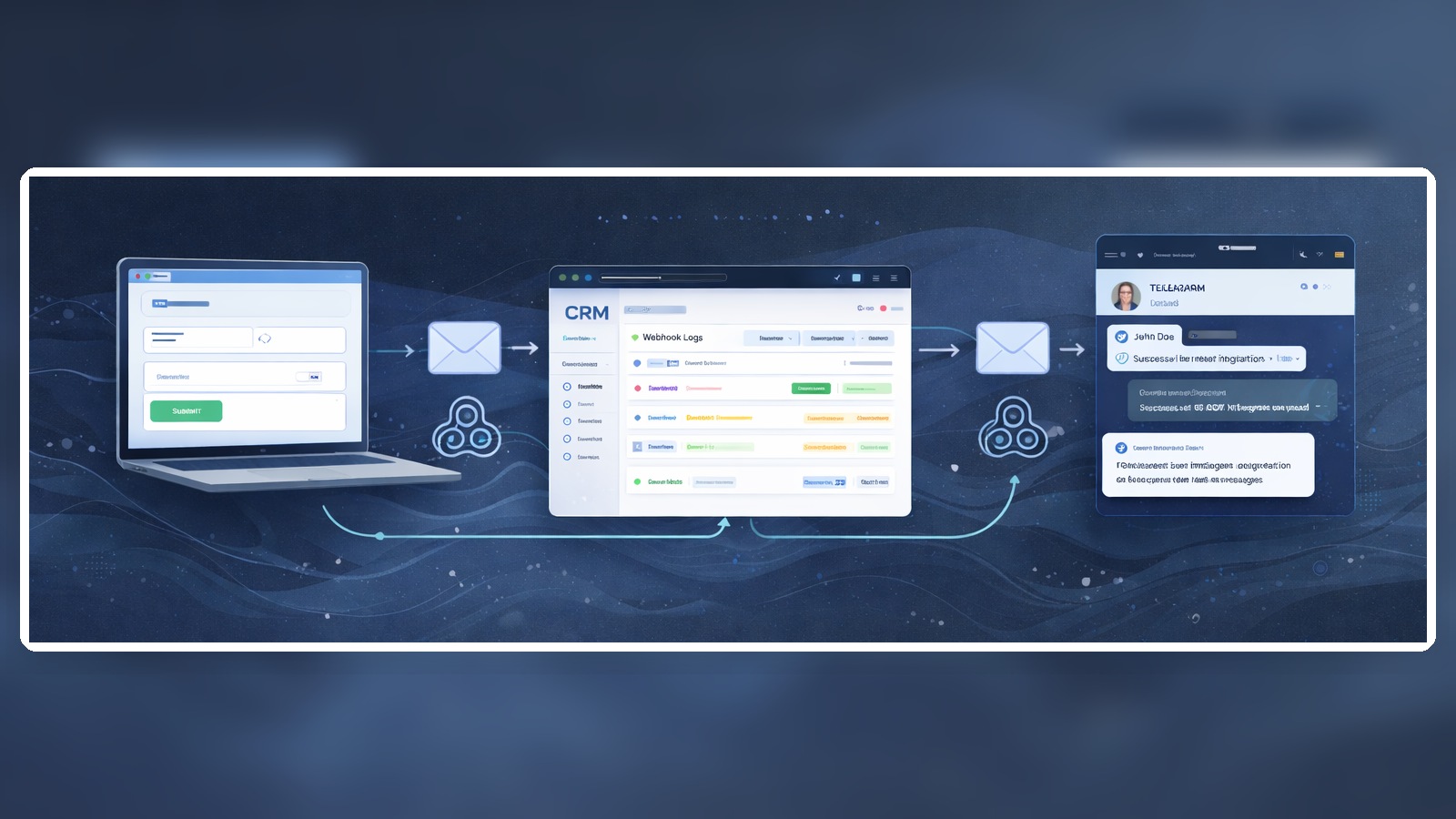
A website → CRM → Telegram integration looks simple until real leads start flowing. On paper, the logic is clean: a visitor submits a form, the data goes into the CRM, the team gets an instant Telegram alert, and sales reacts quickly. In real projects, though, businesses run into duplicate leads, missing UTM data, messy team chats, wrong status logic, and situations where a manager sees a notification but still has no idea what happened.
For SMB teams, this kind of integration matters because speed and clarity directly affect revenue. The goal is not to “connect tools” for the sake of automation. The real goal is to make sure every inquiry is captured, routed, visible, and actionable. That is why the best setup is not just “form → bot message”, but a practical operating flow that can survive retries, user mistakes, team growth, and everyday edge cases.
Contents
- Why businesses need a website → CRM → Telegram integration
- Core integration architecture
- What data should move from the website into the CRM
- What should actually be sent to Telegram
- Best practices that keep the system reliable
- Common user problems and how they were solved
- Implementation checklist
- Which workflows to automate first
- How to monitor the integration properly
- Conclusion
- FAQ
Why businesses need a website → CRM → Telegram integration
In small and mid-sized businesses, slow lead handling creates invisible losses. A lead may technically arrive, but if the manager sees it too late, if the CRM record is incomplete, or if the team cannot tell which campaign brought the inquiry, the business pays for that confusion later. Telegram is useful here not because it is trendy, but because it gives teams a fast operational layer for alerts, escalations, and short reaction loops.
Most companies start thinking about this integration when one of the following problems becomes impossible to ignore: website leads are missed, managers respond too slowly, marketing cannot trust attribution, sales complains about lead quality without enough context, or managers keep forwarding screenshots and contact details manually in chats.
- Owners want visibility into lead flow and follow-up.
- Marketers want reliable source data, form names, landing pages, and UTM values.
- Sales leads want faster first response times and clearer routing rules.
- Managers want short, useful alerts instead of noisy chat spam.
Core integration architecture
The weakest setup is sending website form submissions directly to Telegram and treating the CRM as an optional extra. That approach may look fast at first, but it usually breaks as soon as the business needs reporting, duplicate handling, ownership rules, or historical context. A stronger architecture treats the CRM as the source of truth and Telegram as the notification layer for people.
A practical flow usually looks like this: a visitor submits a form on the website → the website sends data to a backend endpoint or automation layer → the system validates and normalizes the data, checks for duplicates, adds technical metadata, and then creates or updates the record in the CRM → after the CRM action succeeds, the system sends a Telegram message to the correct chat, team, or manager.
Option 1: a basic setup for low lead volume
- Website form
- Webhook or backend endpoint
- CRM
- Telegram bot for notifications
This version is often enough for a smaller business with one or two forms and simple routing rules. Even then, it should still include logging, required field checks, and a basic anti-duplicate mechanism.
Option 2: a more reliable setup for growing teams
- Website form
- Integration layer: backend, middleware, or automation platform
- Request logging
- Data normalization and duplicate checks
- CRM as the main data record
- Telegram alerts triggered by business events
- Monitoring and retry handling
This is the architecture that usually scales better. If Telegram fails temporarily, the lead is still safe in the CRM. If the form submits twice, the system can detect a repeat. If a manager ignores a new inquiry, you can trigger a reminder or escalation without manually watching everything.
What data should move from the website into the CRM
One of the most common mistakes is passing only the name and phone number. That may create a lead record, but it does not create a useful sales context or a useful marketing context. A good integration captures not only who submitted the form, but also where they came from, what they asked for, and under what conditions the submission happened.
- Name
- Phone number in a normalized format
- Email, if available
- Message or inquiry details
- Form name
- Landing page URL
- UTM source, medium, campaign, term, and content
- Referrer
- Page language
- Submission date and time
- Technical lead ID or event ID
- Technical metadata used for validation, routing, or debugging where appropriate
It is also important to decide which fields are required for creating a lead and which can be optional. A lead with a minimal but valid dataset is usually better than a lost lead. At the same time, every field that affects routing, attribution, or reporting should be captured consistently, not “if available”.
What should actually be sent to Telegram
Telegram alerts work best when they are compact, structured, and actionable. They should not try to mirror the full CRM record. Their purpose is to help a human react quickly. That means each message should answer one simple question: what happened, why does it matter, and what should the recipient open next?
- Event type: new lead, missed follow-up, duplicate lead, status escalation, failed sync
- Lead name and contact
- Source or campaign
- Landing page
- Short user comment or inquiry summary
- Assigned manager, if already known
- Direct link to the CRM record
- Priority marker if the request is urgent
For SMB teams, a useful rule is this: new lead alerts go to the team space, critical follow-ups go to the responsible person, and long-form process history stays in the CRM. Telegram should speed up action, not become a second CRM system that people have to read from top to bottom.
Best practices that keep the system reliable
1. Write to the CRM first, then notify Telegram
If a Telegram message arrives but the CRM record does not exist, the team receives a signal without a process. That forces people to search manually, ask each other questions, or create temporary workarounds. The CRM should be the place where the lead is officially stored, owned, and tracked. Telegram should follow that successful event.
2. Build duplicate prevention from day one
Duplicate leads happen for more reasons than most teams expect. A user clicks twice. The browser retries. A network issue causes a repeated request. An automation step runs again. Without a technical event ID, duplicate search rules, and a clear create-or-update policy, your CRM becomes hard to trust.
A practical baseline is to store a unique lead event ID, search existing contacts by phone or email, and decide whether to update an existing record, add a note, or create a follow-up event instead of always creating a brand-new lead.
3. Preserve attribution data properly
Many teams focus on delivery and forget attribution. Then, later, they ask why all leads in the CRM seem to have no clear source. If UTM values, landing page URLs, referrer data, and form names are not stored in the CRM, marketing performance discussions quickly turn into opinions instead of facts.
4. Make alerts event-driven, not field-driven
If Telegram sends a message every time a field changes, the team will stop reading those messages. A much better approach is to define a small set of events that genuinely matter: new lead created, no first response within a defined time, high-priority submission, duplicate detected, failed delivery to the CRM, or a critical deal status change.
5. Route leads intentionally
Not every lead belongs in one team chat. If your business has multiple languages, regions, products, or departments, the integration should route records based on clear rules. Otherwise, people either ignore alerts or spend time manually reassigning work that could have been routed correctly from the start.
6. Logging is not optional
When someone says “some leads don’t arrive sometimes”, that sentence is almost impossible to investigate without logs. Log the important stages: form received, validation result, duplicate check result, CRM response, Telegram response, and any fallback action. Good logs save time, reduce blame, and make support work much easier.
7. Treat tokens, webhooks, and credentials seriously
API tokens, webhook URLs, CRM credentials, and bot secrets should not live in public scripts, random chats, or shared notes without controls. Even small businesses should separate responsibilities, keep secrets in environment variables or secure settings, and review access whenever team roles change.
Common user problems and how they were solved
Case 1. Duplicate leads caused by repeated button clicks
A small company noticed that some campaigns kept producing “two identical leads”. At first, they blamed ads, then the CRM, then the form plugin. The real issue was simpler: users clicked the submit button twice when the page responded slowly.
The fix was straightforward but effective: disable the button after the first click, add a request ID, and update CRM logic so that an existing contact is checked before a new record is created. The result was cleaner data and far less manual cleanup.
Case 2. Leads arrived, but UTM data was missing
A marketing manager saw plenty of new leads in the CRM, but most of them had no reliable source data. The issue was not in the CRM at all. The website simply did not preserve UTM values once the visitor moved between pages before submitting the form.
The team fixed it by storing UTM values on first arrival, passing them into hidden form fields, and mapping them into dedicated CRM fields. After that, source reporting became much more trustworthy, and sales could see the lead context before making contact.
Case 3. The Telegram chat turned into noise
One team automated too much too fast and ended up sending Telegram alerts for every minor CRM update. For a few days, it felt transparent. Then the team stopped reading the chat because nothing seemed important anymore.
The solution was to reduce alerts to four categories only: new lead, no timely response, high-priority request, and integration error. Everything else stayed in CRM history. The total number of messages dropped, but the usefulness of each message went up.
Case 4. Managers saw notifications but lacked context
In another setup, Telegram messages contained only a name and phone number. Technically, the integration worked. Operationally, it did not. Managers still had to open the CRM, search manually, and figure out what the customer wanted and where the lead came from.
That changed when the alert format was redesigned: event type, product interest, source, landing page, short inquiry text, assigned manager, and a direct CRM link. The notification became useful because it helped people act immediately instead of decode the situation first.
Implementation checklist
| Layer | What should be configured | Why it matters |
|---|---|---|
| Website | Validated forms, hidden attribution fields, anti-double-click behavior | Prevents broken submissions and many avoidable duplicates |
| Integration layer | Webhook or endpoint, logging, field normalization | Makes processing more stable and easier to debug |
| CRM | Fields for source, page, form, status, technical event ID | Preserves both sales and marketing context |
| Duplicate handling | Search by phone or email, create-or-update logic | Keeps the database cleaner and more useful |
| Telegram | Alert templates and routing rules | Ensures people receive meaningful signals |
| Monitoring | Error alerts, logs, recurring test submissions | Helps catch failures before they become expensive |
Which workflows to automate first
When companies begin this integration journey, they often try to automate too much at once. A better approach is to start with the workflows that create the clearest operational value early on.
- Create a CRM lead when a website form is submitted
- Send an instant Telegram alert for a new lead
- Pass UTM and landing page data into CRM fields
- Trigger a reminder if a lead is not taken into work on time
- Route leads by product, language, or region
- Flag duplicates or failed sync attempts separately
These workflows usually produce visible results quickly: fewer missed leads, faster response times, cleaner data, and less manual forwarding. Once that foundation is stable, teams can add more advanced rules such as manager auto-assignment, priority logic, service-level timers, or multi-step follow-up automation.
How to monitor the integration properly
A reliable integration is not one that was “set up once”, but one that can be checked at any moment. If no one can answer where a specific lead is in the chain right now, the setup is still fragile. Monitoring should be simple, repeatable, and understandable to both technical and business stakeholders.
- Run a controlled test submission on a regular basis
- Keep a separate log of successful and failed events
- Check whether source fields in the CRM are populated consistently
- Make sure Telegram alerts include a direct CRM link
- Track the average time between lead creation and first response
- Review which alerts the team actually acts on and which have become noise
The strongest indicator of integration quality is not that “something appears in Telegram”, but that the business can trace the lead from website form to CRM record to team action without confusion or missing steps.
Conclusion
A website → CRM → Telegram integration creates the most value when it is designed as an operational system, not just a chain of notifications. The CRM should remain the center of record, the website should collect clean data, and Telegram should deliver fast, useful alerts that help people act. Add duplicate prevention, preserve attribution, log every critical step, and keep chat noise under control, and the integration becomes a real business asset instead of a fragile workaround.
Start with one form, one funnel, one clear notification template, and simple ownership rules. Once that works reliably, scale the logic. That is how integrations stay useful over time instead of becoming something the team quietly works around.
FAQ
Can I send website leads directly to Telegram without using a CRM?
Technically yes, but it is rarely a strong business setup. Without a CRM, you lose ownership, history, status control, reporting, and a reliable way to manage repeat inquiries.
Which matters more: the Telegram alert or the CRM record?
The CRM record matters more. Telegram should notify people about a business event, not replace the system where the lead is stored and processed.
How do I prevent duplicate leads?
Use a combination of anti-double-click behavior on the website, a technical lead or event ID, duplicate checks by phone or email, and a create-or-update logic instead of always creating a new record.
Which fields should always be passed to the CRM?
At a minimum: name, phone or email, form name, landing page, source data, and the event timestamp. If attribution matters, pass UTM fields and referrer data as well.
Should Telegram alerts go to a team chat or directly to a manager?
That depends on your process. New leads often make sense in a team space, while escalations and missed-response reminders are usually better sent directly to the responsible person.
Do I need an integration layer between the website and the CRM?
In most cases, yes. That layer gives you logging, validation, normalization, duplicate handling, routing, and better overall stability.