
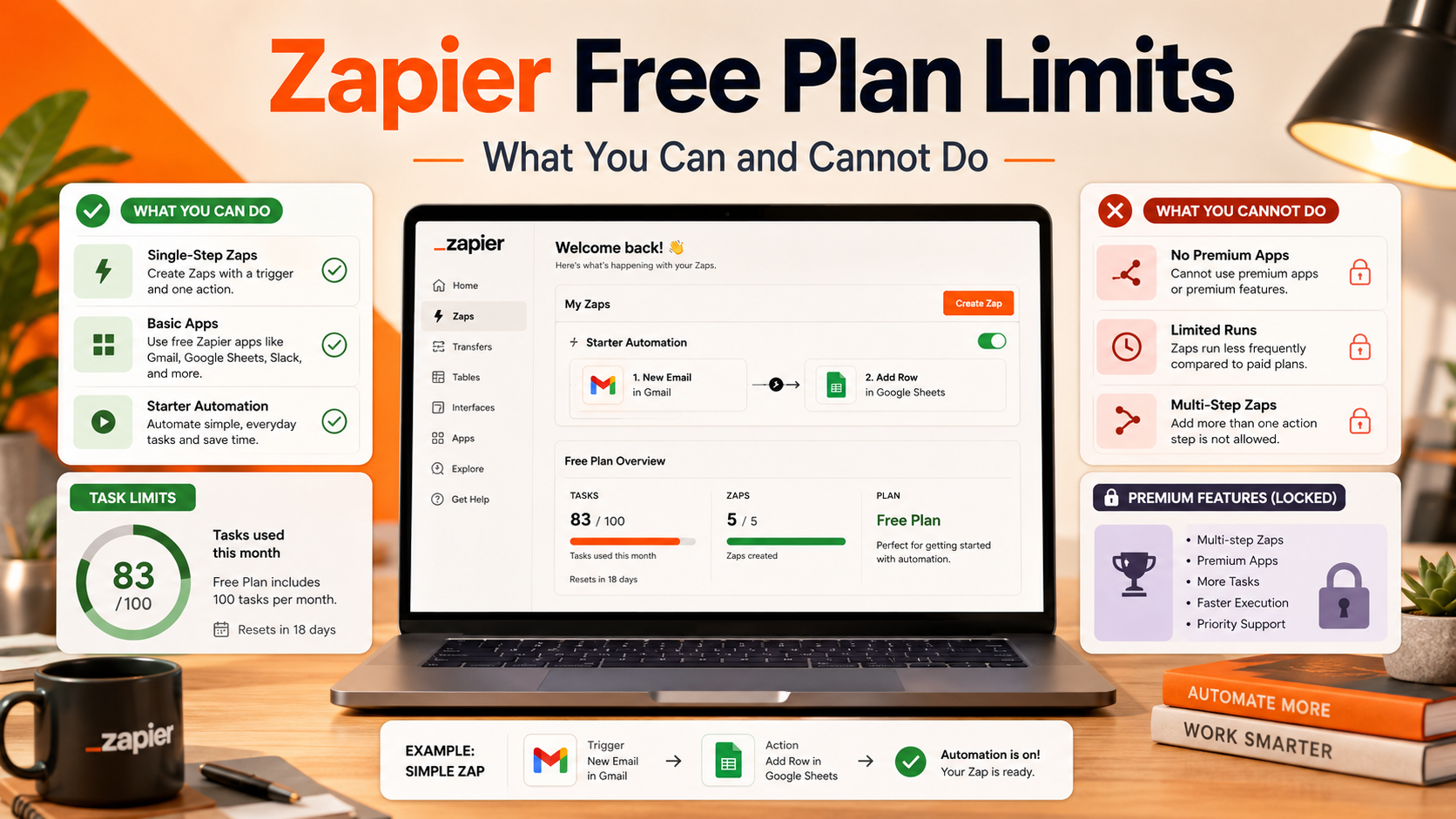
TL;DR: The Zapier free plan limits in 2026 are 100 tasks/month, 2-step Zaps (one trigger + one action), 15-minute polling intervals, 2,500 Tables records, and a single user — with no premium apps, no webhooks, no Filters, no Paths, and no autoreplay on errors. It’s enough to test what automation can do for you and to run 1–3 very simple workflows. It’s not enough for any real production use case beyond personal experiments. This guide walks through every number, what each one means in practice, and the three signals that tell you it’s time to upgrade or switch.
This is for SMB owners, marketers, and ops folks evaluating Zapier before paying $19.99–$29.99/month for the Pro plan. We’ll show what the free tier actually unlocks, where it falls over within a week of real use, and which alternatives give you more on their free plans (spoiler: Make.com gives you 1,000 operations and unlimited Zaps).
Quick Answer: What the Zapier Free Plan Actually Includes
You get 100 successful action runs per month, the ability to connect any two apps in a Zap (but only two), 15-minute polling — meaning new data is detected up to 15 minutes after it appears — and access to standard apps. You don’t get premium apps (Salesforce, QuickBooks, ShipStation, and others), webhooks, multi-step Zaps, Filters, Paths, Formatter, autoreplay on errors, or human support. Triggers don’t count as tasks. Filters and Formatter don’t count as tasks either — but you can’t use them on Free anyway. In short, Free is a sandbox, not a workhorse.
Inside the Free Plan: The Hard Numbers
100 tasks per month — what that really means
A task is a single successful action. If your Zap creates a Google Contact when a Typeform is submitted, that’s 1 task per submission. 100 tasks is enough for about 3 form submissions per day, or one Zap that fires 3x daily through the month. The moment you build a Zap that runs hourly (24 × 30 = 720 tasks/month) or one that fires per new email (easily 50/day), you blow past the limit in days. Held runs are paused, not lost — you can replay them once tasks reset on the 1st of the next month, but during the wait nothing happens.
2-step Zaps — the single biggest restriction
A two-step Zap is one trigger plus one action. That’s it. You can’t add a Filter (“only continue if amount > $100”), can’t add a Formatter (“convert date to ISO 8601”), can’t add a Paths branch (“if it’s a hot lead, send to Slack; otherwise, just log”). Most real-world automations need conditional logic — without it, you’ll end up syncing data that should have been filtered, sending alerts that should have been suppressed, and creating CRM records that shouldn’t exist.
15-minute polling — the latency you can’t reduce
Zaps with polling triggers (most non-instant apps) check for new data every 15 minutes on Free. Pro drops this to 2 minutes; Team is similar. For a new-lead-to-Slack alert, a 15-minute delay is the difference between calling a hot lead while they’re still on your site versus calling them after they’ve moved on. Apps with instant triggers (Stripe, Shopify, some others) bypass polling, but most apps don’t have instant triggers on the free tier.
Single user, 5 Zaps max worth caring about
Free is for one person — no shared folders, no team workspace. Officially you can create as many Zaps as your tasks allow, but with a 100-task ceiling you’ll realistically run 3–5 Zaps. Tables is included with a 2,500-record limit, and Forms is included with restrictions. If your Zap errors, it stays errored — there’s no autoreplay, so you’ll have to manually trigger replays from the Zap History page.
What’s Locked Behind the Paid Plans
Multi-step Zaps and built-in logic
The Professional plan unlocks unlimited steps per Zap (technically capped at 100, which nobody hits) plus Filters, Paths, Formatter, Delay, Scheduler, and Code by Zapier. These are the building blocks of real automation. Without them, every Zap is a dumb pipe — data goes from A to B, no conditions, no transformation. This is the single biggest functional difference between Free and Pro.
Premium apps — and what counts as premium
Premium apps include Salesforce, QuickBooks Online, Magento, ShipStation, PayPal, Microsoft Dynamics, Webhooks by Zapier, Stripe (for some triggers), and dozens more. If your business runs on any of these — and most SMBs do — Free won’t work even for testing. Zapier publishes a premium-app list, but it changes; check at signup. For broader context on automation choices, we’ve written about Zapier alternatives for marketers that include premium-equivalent apps on cheaper or free tiers.
Webhooks — paid only, and that’s a big deal
Webhooks by Zapier — the module that lets you receive HTTP POST events from any app on the planet — is a premium app, locked to Pro+. If your CRM, payment processor, or landing page builder doesn’t have a native Zapier integration but does have webhooks (most do), you can’t use that pattern on Free. If you’re new to the concept, we covered what a webhook is and how to test one with examples.
Autoreplay, faster polling, real support
Pro adds autoreplay — when a Zap step fails (API hiccup, app downtime), Zapier retries automatically. On Free, errors stay errored until you manually replay them, which on a Zap firing 50 times you didn’t notice fail can mean losing 50 leads. Pro also drops polling to 2 minutes and adds 24/7 email support; live chat shows up at 2,000+ task tiers. On Free, your only help is the Community forum.
Free vs Pro vs Team: Side-by-Side
| Feature | Free ($0) | Pro ($29.99/mo) | Team ($103.50/mo) |
|---|---|---|---|
| Tasks / month | 100 | 750+ (tiered) | 2,000+ (tiered) |
| Steps per Zap | 2 (1 trigger + 1 action) | Unlimited (up to 100) | Unlimited (up to 100) |
| Polling interval | 15 minutes | 2 minutes | 2 minutes |
| Premium apps | No | Yes | Yes |
| Webhooks / Filters / Paths | No | Yes | Yes |
| Autoreplay on error | No | Yes | Yes |
| Users / shared folders | 1 user only | 1 user | 25 users, shared folders |
| Support | Community forum only | 24/7 email + chat (high tier) | Premier Support |
Pro is $19.99/month if you commit to annual billing — that’s the realistic baseline cost for anyone using Zapier for actual work. There is no “Starter” plan anymore; the jump from Free to Pro is the only path.
What the Free Plan Actually Works For (and Doesn’t)
Works fine on Free
Personal email-to-task triage. New starred Gmail email creates a Todoist task. Low volume, one trigger, one action — fits the 100-task budget. Backup of form responses. Typeform submission appends a row to Google Sheets. If you’re getting under 100 submissions a month, it’s free forever. Slack notifications from a small CRM. New Pipedrive deal posts a message to a #wins channel. Works if your team is small enough that you don’t exceed 100 deals a month.
Falls apart on Free
E-commerce order routing. A WooCommerce or Shopify store with 5+ orders a day will exceed 100 tasks in three weeks, and you’ll want Filters to handle refunds/cancellations differently. Lead routing with logic. “If lead source = paid ad, send to sales rep; else, send to nurture sequence” needs Paths — Pro only. Anything with webhooks. You’ll need to use a custom landing page form or a niche CRM, and the webhook trigger is locked. Real-time sales alerts. 15-minute polling means your “instant” alert can be 14 minutes late. For payment confirmations specifically, you’d want webhooks (paid only) anyway.
Free Alternatives That Beat Zapier Free
Make.com — the obvious upgrade for free users
Make’s free plan offers 1,000 operations per month (about 10× Zapier), unlimited scenarios, multi-step workflows, routers/filters, webhooks, and a 15-minute scheduling minimum. You’ll spend more time learning Make’s slightly less polished UI, but you’ll do real work. Our deeper comparison of n8n vs Make in 2026 covers both for context.
n8n self-hosted — free forever, unlimited everything
n8n is open-source and can be self-hosted on a $6/month VPS for unlimited workflows, unlimited executions, webhooks, code nodes, and no task counter. The trade-off is operational: you maintain the server, the database backups, and the version updates. Worth it if you’re already comfortable with a Linux VPS.
Pabbly Connect — cheap paid, not free
Pabbly doesn’t offer a real free plan, but at $19/month for 12,000 operations (vs Zapier Pro’s $29.99 for 750 tasks), it’s the budget option if you’ve outgrown Zapier Free and want to skip the upgrade. See our Pabbly Connect review for 2026 for the full picture, including its rougher UI.
Decision Framework: When to Stay, Upgrade, or Switch
Stay on Zapier Free if you’re testing automation for the first time, your usage is genuinely under 100 tasks/month, you only need two-step Zaps without logic, and your apps aren’t premium. This is true for maybe 5% of paying SMBs.
Upgrade to Zapier Pro if you’ve used the free tier for 2+ months, you have working Zaps you trust, and your tool stack is heavily Zapier-integrated. The annual price ($19.99/mo billed yearly) is the breakpoint where the upgrade pays for itself in saved manual work.
Switch to Make if you need multi-step logic, branching, and 1,000+ operations on a free plan, and you don’t mind learning a slightly more technical UI. Most growth-focused SMBs land here within 2 months of using Zapier Free.
Self-host n8n if you’re technical, your monthly automation volume would push Zapier above $50, and you want to integrate uncommon APIs with custom code. For broader stack context, our piece on no-code API tools and Postman alternatives covers what pairs well with n8n.
Conclusion
The Zapier free plan limits are tight enough that they push you toward an upgrade decision within the first month of real use — that’s by design, not by accident. For testing what automation can do, for personal-scale workflows, and for a single-user side project, Free is generous enough. For anything resembling business operations, it’s not. The honest answer for most SMBs in 2026 is: use Zapier Free for two weeks to validate the use case, then either pay $19.99/month for Pro or move to Make.com’s free tier — both will serve you better than Zapier Free’s two-step, no-logic constraint. If your email automation is the part you’re focused on, our comparison of Mailchimp, Brevo, and SendPulse can pair with whatever automation tool you settle on.
FAQ
Is Zapier really free, or is it a trial?
Zapier’s free plan is permanent, not a trial. There’s no end date, no credit card required at signup, and the 100 monthly tasks reset on the 1st of each month. You can stay on Free indefinitely as long as you don’t need premium features.
What happens when I hit 100 tasks on the free plan?
Your Zaps don’t lose data — held runs stay paused in your Zap History. Once the calendar month rolls over and your task quota resets, you can replay the held runs from history. Zapier emails you as you approach and reach the limit.
Can I have a multi-step Zap on the Zapier free plan?
No. The free plan is limited to two-step Zaps (one trigger and one action). Multi-step Zaps, along with Filters, Paths, and Formatter, require the Professional plan starting at $19.99/month with annual billing.
Does the free plan include webhooks?
No. Webhooks by Zapier is classified as a premium app and is locked to paid plans. If you need to receive webhook events as triggers, you’ll need to upgrade or use an alternative platform like Make, n8n, or Pabbly Connect that offers webhooks on lower tiers.
How many Zaps can I create on the free plan?
You can technically create unlimited Zaps on Free, but only as many as your 100-task allowance can support each month. In practice, that’s 3–5 lightly used Zaps before you start hitting the cap.
Is Make.com’s free plan better than Zapier’s free plan?
For most users, yes. Make.com offers 1,000 operations per month, multi-step scenarios, routers, filters, and webhooks on its free tier, vs Zapier’s 100 tasks and two-step limit. The trade-off is a steeper learning curve — Make’s scenario editor is more powerful but also more technical-feeling than Zapier’s UI.