
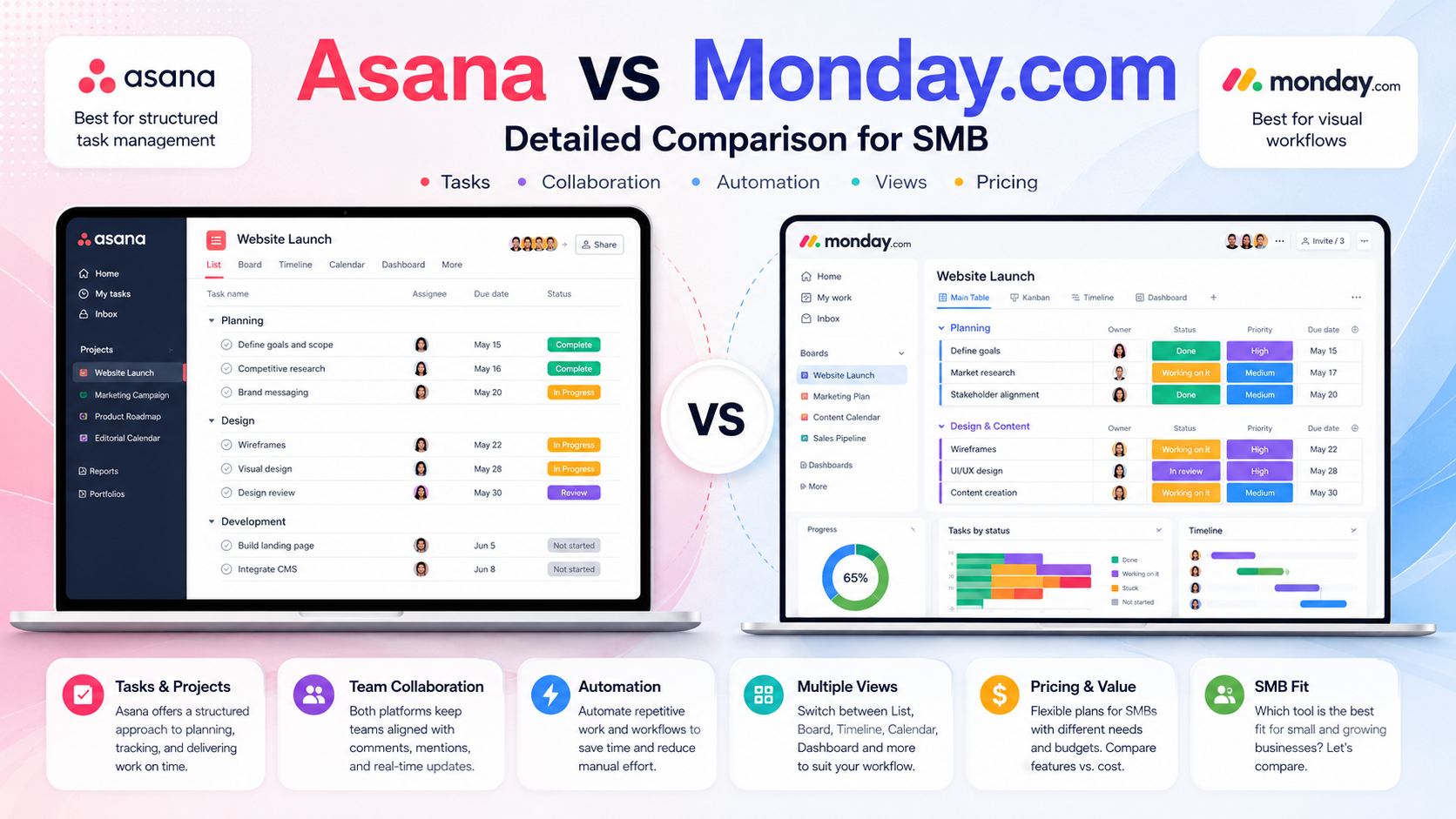
Asana vs Monday.com for SMB in 2026 comes down to two things most reviews miss: Monday’s 3-seat minimum on paid plans means a 1-2 person team pays for unused seats, and Asana’s AI Studio is bundled with paid tiers while Monday charges separately per AI credit. Pick Asana Starter ($10.99/user/month annual, no seat minimum besides 2) for traditional task-and-workflow management with AI included. Pick Monday Standard ($12/seat/month annual, 3-seat minimum = $36/month floor) for highly visual, customizable boards and if you want their CRM bundle. Free tiers: Asana up to 10 users (genuinely usable); Monday capped at 2 users (trial-grade only).
This guide is for SMB owners, ops leads, and project managers deciding between these two specific tools in 2026 — whether you’re picking your first PM tool or considering a switch. We’ll cover real pricing including hidden seat-minimum and bucket math, the philosophical difference in how each tool thinks about work, where each one quietly fails, and four clear decision points.
Quick Answer: Asana or Monday?
For most SMBs, Asana wins on price-per-feature: Starter at $10.99/user (no 3-seat floor) and a genuinely usable free tier for under-10 teams. Monday wins on visual customization and if you’ll use their CRM bundle — but only if you have at least 3 actual paid users, otherwise you’re overpaying. Both have polished UIs, strong integrations, and similar core capabilities for tasks, timelines, and dashboards. The choice rarely comes down to “missing features” — it’s about pricing model, visual philosophy, and which one your non-technical team finds easier to update daily.
Pricing Reality: What You’ll Actually Pay
Asana — predictable per-user, no buckets
Personal (Free): Up to 10 users, list/board/calendar views, basic integrations. Genuinely usable for small teams. Starter: $10.99/user/month billed annually ($13.49 monthly), 2-seat minimum. Unlocks Timeline/Gantt, workflow builder, dashboards, custom fields, forms, Asana AI features, and 50,000 AI Studio credits/month. Advanced: $24.99/user annual ($30.49 monthly). Adds Goals/OKRs, portfolios, workload, approvals, Salesforce/Power BI/Tableau integrations. Enterprise/Enterprise+: Custom, typically $35+/user. AI Studio Plus add-on is around $150/month for additional credits.
Monday.com — per-seat with bucket inflation
Free: 2 users only, 3 boards, basic views. Realistically a trial. Basic: $9/seat/month annual ($12 monthly), 3-seat minimum = $27/month floor. Honestly the weakest paid tier — no automations, no integrations. Standard: $12/seat/month annual ($14 monthly), 3-seat minimum = $36/month floor. The “real” entry tier with automations (250 actions/month total), integrations, Timeline, Calendar. Pro: $19/seat/month annual ($24 monthly), 3-seat minimum = $57/month. 25,000 automations/month, advanced features. Enterprise: Custom. AI credits are separate: $0.01 each on annual plans, no longer bundled into base plan.
The seat-bucket trap (Monday-specific)
Monday sells seats in buckets (3, 5, 10, 15, 20, 25…) not as individual units. A team of 4 pays for 5 seats; a team of 11 pays for 15. The 3-seat floor plus bucket pricing creates real overpayment at awkward team sizes. A team of 11 on Standard pays for 15 seats × $12 = $180/month, which is 36% more than 11 × $12 = $132. Asana doesn’t have this — you pay for the exact number of seats you use (minimum 2).
The AI math gap
Asana Starter includes AI Studio (50,000 credits/month) at no extra cost. Monday charges per AI credit on Standard and Pro plans — 2,000 credits/month is about $20/month, on top of seats. For automation-heavy teams, Monday’s AI bill can equal another seat. For Asana, AI is bundled into the tier price. This is the single biggest pricing-model difference in 2026 between the two.
What Each Tool Actually Is
Asana: task and workflow management
Asana treats projects as collections of tasks with dependencies, owners, and dates. The mental model is “tasks live in projects, projects live in teams.” Timeline, Gantt, and workload views are second-nature. Forms intake routes new work into the right project automatically. Cross-functional handoffs (marketing → design → dev) are the strongest use case. The UI is clean and consistent across views — boring in a good way, fast to teach to new hires.
Monday: visual spreadsheets that act like work
Monday treats projects as customizable boards with typed columns — status, person, date, number, formula. The mental model is closer to “build the spreadsheet your team needs,” then watch it update visually. Color-coded status columns are the signature feature; non-technical users love how the boards feel like a customized tool, not a generic PM template. Strong for teams that think visually and want flexibility in what each board tracks.
Why this changes everything
If your team thinks in “tasks with deadlines,” Asana fits without configuration. If your team thinks in “this is our process, make the tool match it,” Monday’s customization will save you. The same workflow built in both tools feels naturally fast in one and awkward in the other — try both for two weeks before committing.
Side-by-Side: Asana vs Monday (2026)
| Criterion | Asana | Monday.com |
|---|---|---|
| Free tier | Up to 10 users | Up to 2 users only |
| Entry paid | $10.99/user (Starter, annual) | $9/seat (Basic) — $27/mo min |
| Seat minimum | 2 seats | 3 seats + bucket pricing |
| AI features | Bundled in Starter+ | Per-credit ($0.01 each) |
| Best at | Task workflows, cross-team handoffs | Visual customization, CRM bundling |
| Weakest at | Visual customization | Solo or 2-person teams |
| CRM | No native CRM product | Monday CRM (separate product) |
| Mobile experience | Strong, polished | Strong, visually similar to web |
Real Use Cases: Which Tool for Which SMB
“Solo founder or 2-person startup running 5 projects.” Asana Free (up to 10 users) covers everything you’d need. Don’t pay for either tool at this size. Monday Free at 2 users with 3-board cap will frustrate you within a week.
“7-person agency tracking client work and content calendar.” Asana Starter at $76.93/month (7 × $10.99). Monday Standard at $84/month (7 × $12, no bucket inflation at exactly 7). Slight Asana edge on price; Monday’s visual boards may resonate more with creative teams. Roughly even.
“15-person marketing/ops team needing CRM.” Monday Pro at $19/seat plus their CRM product (~$12/user) bundles the workflow with sales pipeline. Asana doesn’t have a CRM — you’d need to add a separate one (see our best CRM for small business roundup). Monday wins on bundling.
“30-person company with portfolio management needs.” Asana Advanced at $24.99 includes Goals/OKRs and unlimited portfolios. Monday Pro at $19 is cheaper but doesn’t go as deep on goals/strategy. For execs who want company-wide visibility, Asana Advanced is the cleaner fit.
“4-person team that hates spreadsheets.” Asana — Monday’s spreadsheet-like board model will feel cumbersome to anyone who already dislikes spreadsheets. Asana’s task list view is more list-like and feels lighter.
Honest Pitfalls of Each
Asana’s weaknesses
The big price jump from Starter ($10.99) to Advanced ($24.99) — a 127% increase — for features many teams genuinely need (Goals, portfolios, workload). No native CRM. Visual customization is limited compared to Monday — Asana looks the same across teams, which is good for consistency, less good for teams that want their own look. Annual lock-in with no refunds if you over-purchase seats.
Monday’s weaknesses
The 3-seat minimum and seat-bucket pricing are the real story. A team of 1 or 2 pays for 3; a team of 11 pays for 15. AI is per-credit, which adds variable cost on top of seats. The February 2026 price increase on monday service add-on (18%) with no new features was a trust hit. Basic tier is hard to recommend — Standard is the functional entry point, which means the real floor is $36/month, not $27. Free tier is borderline a trial.
Both share
Annual billing lock-in: no refunds on unused seats mid-year. Heavy reliance on automations for both means a Make.com or n8n layer often helps — see our automation tools comparison for context. Both are heavier than Linear or Trello if you only need simple task tracking — for broader context, our PM tools comparison for remote teams covers 10 alternatives.
Decision Framework
Pick Asana if you have 1-2 users (Monday’s seat minimum will hurt), your team thinks in tasks-with-deadlines rather than custom-boards, you want AI features bundled into the price, or you’re managing cross-functional projects with handoffs between teams.
Pick Monday if you have at least 3 actual users (so the seat minimum doesn’t sting), your team prefers visual customization over standardized templates, you want their CRM bundle alongside PM, or your work is process-shaped where every team has different needs from the tool.
Look at alternatives if neither fits cleanly. ClickUp Unlimited at $7/user offers more features per dollar for teams comfortable with complexity — see our honest ClickUp review for details. For engineering teams specifically, Linear is faster and cheaper. Our Jira vs ClickUp vs Asana comparison covers when Asana is the right pick in that broader context.
Run a 2-week trial regardless. The mental-model fit (task-thinking vs board-thinking) matters more than feature lists. Build a real project in each, ask 2-3 teammates to use it for 2 weeks, and pick the one people actually update without prompting. Adoption beats features.
Conclusion
The honest Asana vs Monday verdict for SMB in 2026: Asana wins on free tier (10 users vs 2), on the no-seat-bucket pricing model, and on AI being bundled into the tier. Monday wins on visual customization, on CRM bundling, and when your team naturally thinks in customizable boards rather than task lists. The two tools converge on roughly the same monthly cost at 5-10 paid users, so the choice is more about philosophy than dollars at that scale. For solo founders and 2-person teams, Asana Free is the obvious win. For visually-driven teams of 5+ who want one tool for both PM and CRM, Monday is the better all-rounder. Try both for two weeks before committing — the wrong fit shows up by week one.
FAQ
Is Asana cheaper than Monday.com?
It depends on team size. For 1-2 users, Asana Free is free while Monday requires paying for 3 seats minimum on any paid plan. For 4-10 users, Asana Starter at $10.99/user vs Monday Standard at $12/seat are close, with Asana slightly cheaper. Monday gets more expensive at “awkward” team sizes (like 11 or 16) due to seat-bucket pricing.
Does Monday.com really require 3 seats minimum?
Yes — all Monday paid plans (Basic, Standard, Pro) require purchasing at least 3 seats. A solo user or 2-person team still pays for 3. The minimum monthly cost is $27 (Basic), $36 (Standard), or $57 (Pro), regardless of how few people will actually use the tool.
Which is better for small teams: Asana or Monday?
For very small teams (under 5 users), Asana wins clearly — its free tier covers up to 10 users, and its paid tier doesn’t have a 3-seat minimum. For teams of 5+ where the seat math is similar, the better choice depends on whether your team prefers task-list thinking (Asana) or visual-board thinking (Monday).
Is Asana’s AI Studio worth it?
Asana’s AI Studio entry-level credits (50,000/month) are included with the Starter plan at no extra cost — useful for status updates, task summarization, and basic automation rules. Heavier AI use requires AI Studio Plus at around $150/month. For most SMBs, the bundled credits are enough.
Can I use Monday.com as a CRM?
Yes — Monday has a separate CRM product alongside their PM platform. It works well for SMBs that want pipeline tracking integrated with project management. Asana doesn’t have a native CRM product, so if you want both in one vendor, Monday has an advantage.
Should I pay for monthly or annual billing?
Annual billing saves 18-22% on both platforms but locks you into a 12-month commitment with no refunds for unused seats. Monthly billing is 2x more expensive on Asana and 18-30% more on Monday, but lets you adjust seats month-by-month. For established teams, annual makes sense; for pilots or seasonal teams, monthly is safer despite the premium.