
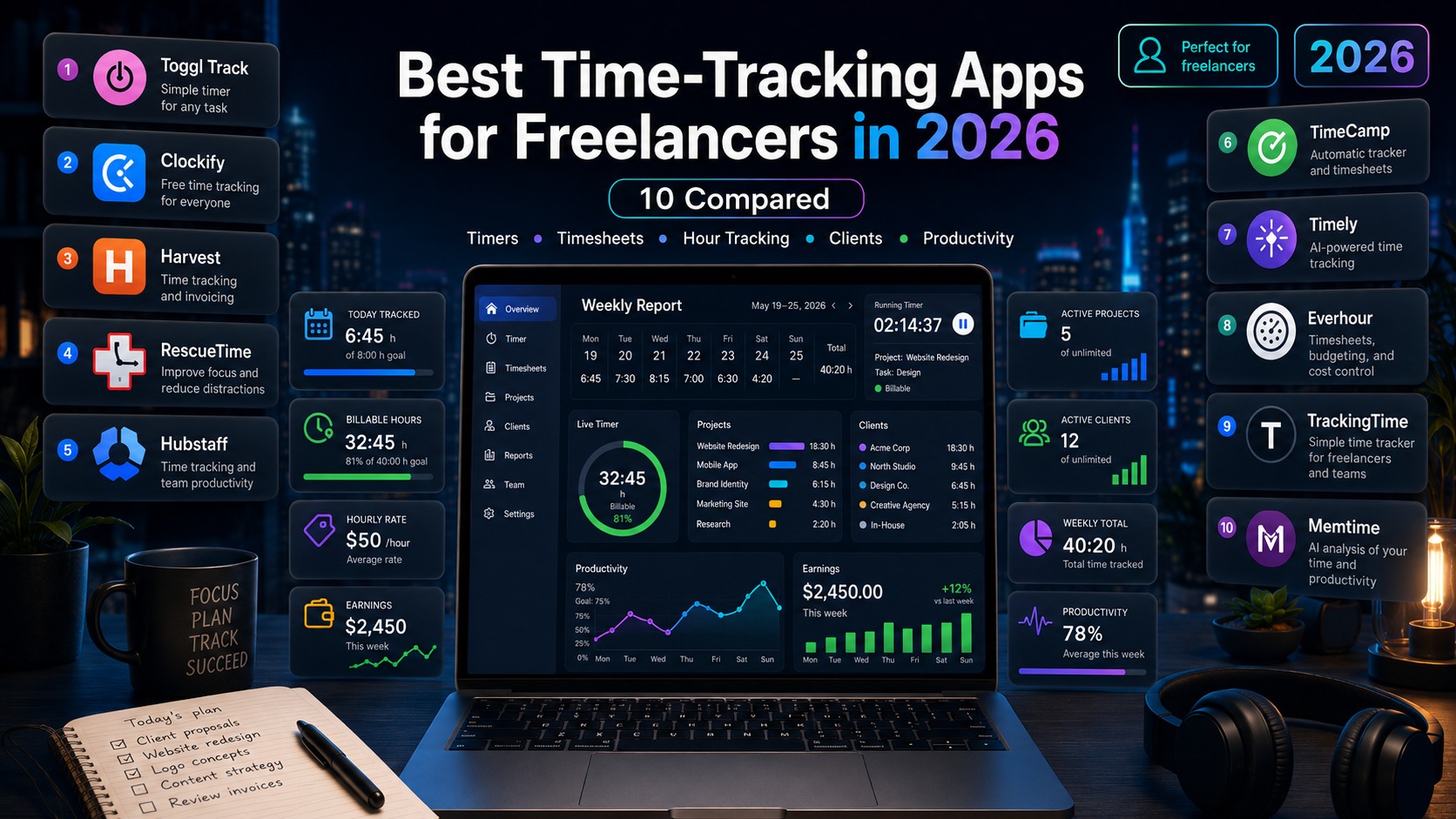
For a freelancer, every unbilled hour is lost revenue and every fudged time estimate becomes next quarter’s burnout. The right time tracking app for freelancers turns “I think that project took 12 hours” into “it took 18.5, here’s the report, here’s the invoice.” This guide is for solo freelancers, consultants, designers, developers, and one-person agencies choosing a time tracker in 2026 — not for SaaS teams or enterprises with 50 people. We tested 7 apps for the things freelancers actually need: a generous free tier, billable rates, project budgets, decent mobile app, and the option to turn tracked hours into invoices without copy-paste hell.
Important framing: most “best time tracker” lists ignore the gap between solo-freelancer needs (track billable hours, generate one invoice per client per month) and team-scale needs (timesheet approvals, profitability reporting, team workloads). We focus on the freelancer side — and call out which apps over-promise features you’ll never use as a solo operator.
Quick Answer: Top Picks for Freelancers in 2026
If you want the simplest polished free option, pick Toggl Track — free for solo use, intuitive timer, the best mobile app of the bunch. If you want truly unlimited free, pick Clockify — only app here with no user limit on the free tier. If billing clients is your bottleneck, pick Harvest ($10.80/month for the solo Pro tier) — tracked time becomes a polished PDF invoice in two clicks. If you bill against project budgets and care about profitability per client, pick TimeCamp or MyHours. If you want automatic time tracking based on app usage (no manual timer needed), pick RescueTime. Most freelancers land at Toggl Free or Harvest Pro — the rest serve narrower niches.
What Freelancers Should Actually Look For
Manual vs automatic tracking philosophy
Manual trackers (Toggl, Clockify, Harvest) require you to start and stop a timer. Automatic trackers (RescueTime, Timing, TimeCamp’s auto mode) watch your apps and websites and log time without intervention. Manual is more accurate when you’re disciplined; automatic catches the hours you’d forget to log but creates noisy data that needs cleanup. Most freelancers do better with manual + a forgive-yourself mindset: track 80% of hours well rather than 100% via surveillance.
Billable rates and project budgets
If you charge clients hourly or against budgets, you need billable rates on the tool. Toggl Free doesn’t have them (you’d upgrade to Starter at $9). Clockify Free doesn’t have rates either (Basic at $3.99 unlocks them). Harvest’s free tier has rates and invoicing but caps at 1 user and 2 active projects. This is the #1 feature gate freelancers hit — assume you’ll be on a paid tier within a few months if billing accuracy matters.
Invoicing: integrated or external?
Integrated invoicing (Harvest, MyHours, TimeCamp) means tracked hours flow directly into a PDF invoice with one click. External invoicing (Toggl, Clockify, RescueTime) means you export CSV/PDF reports and process them in QuickBooks, FreshBooks, Wave, or Xero. Integrated saves 5-10 minutes per invoice; external gives you a better dedicated invoicing experience and accounting features. For 1-5 clients, integrated wins. For 10+ clients with complex accounting, dedicated invoicing tool wins.
The 7 Apps Reviewed
1. Toggl Track — best polished free option
Free: up to 5 users, unlimited projects, unlimited time entries, basic reports, 100+ integrations. No billable rates. Paid: Starter $9/user/month annual (billable rates, time estimates, sub-projects); Premium $18/user/month (profitability, fixed-fee projects, approvals). The polished UX is real — start a timer in one click, browser extension for 100+ tools (Asana, Jira, Notion), genuinely good mobile app. The catch: no invoicing built in (export to FreshBooks/QuickBooks/Xero), and you upgrade for billable rates fast. Best for solo freelancers who already use a separate invoicing tool.
2. Clockify — only truly free unlimited
Free: unlimited users, unlimited projects, unlimited time entries, basic reports, timesheet, dashboard. No billable rates on free. Paid: Basic $3.99/user/month (billable rates, time approvals), Standard $5.49/user/month (invoicing, timesheet locking), Pro $7.99/user/month (GPS, expenses, profitability), Enterprise $11.99. The free tier is the broadest in the category — if you absolutely won’t pay anything, Clockify is the only credible option. The trade-off: UI feels less polished than Toggl, the mobile app has documented sync issues, and the cheapest paid tier you’d actually want (Standard with invoicing) is still cheaper than Toggl Starter. Best for very price-conscious freelancers and small teams.
3. Harvest — best for invoice-driven freelancers
Free: 1 user, 2 active projects (basically a trial). Paid: Pro $10.80/seat/month annual ($12 monthly), unlimited projects, integrated invoicing, expense tracking, QuickBooks/Xero sync; Premium ~$14/seat/month (approvals, advanced reporting). Harvest is older and the UI feels a bit dated, but the time-to-invoice flow is the smoothest of any tool here: tracked hours → professional PDF → client sees a payment link → Stripe processes the card. For freelancers who send 5+ invoices per week, the $10.80 is genuinely worth it. The narrowness is real though: time and invoicing only — no task management, no project boards, no client portal beyond invoice links.
4. TimeCamp — best affordable middle ground
Free: unlimited time tracking, unlimited projects, basic invoicing, productivity tracking, integrations. Paid: Basic from $2.99/user/month (billable rates, advanced reports); Pro from $4.99/user/month (timesheets, invoicing customization, budgeting). The killer feature is automatic time tracking based on app/URL usage — runs in the background, learns your patterns, suggests time entries. Manual logging available too. The free plan is genuinely useful for solo freelancers — combine it with productivity reports for personal accountability. Best for freelancers who want automatic tracking on a budget.
5. MyHours — freelancer-focused all-in-one
Free: unlimited time tracking for 1 user, custom categories, expenses, basic reporting. Paid: Pro at $8/user/month annual — invoicing, client portal, retainer billing, scheduled reports. Specifically designed around service-freelancer workflow: hourly, fixed-fee, or retainer billing modes; client portals where clients see live progress; scheduled email reports. The UI is functional rather than beautiful, but everything a 1-3 person consultancy needs is in one place at a fair price. Best for service freelancers (consultants, agencies, lawyers) where client communication matters as much as raw time tracking.
6. RescueTime — automatic tracking, no timer needed
Free (Lite): automatic tracking, weekly reports, productivity score, basic blocking. Paid (Premium): $12/month for individuals (annual) — detailed reports, alerts, distraction blocking, daily focus sessions. RescueTime runs silently and tells you “you spent 3h on email yesterday, 2h on Slack, 4h on actual deep work.” It’s not really for billing — it’s for self-awareness and productivity optimization. Many freelancers run it alongside Toggl: RescueTime for the truth about their time, Toggl for client-billable hours. Best as a productivity layer, not a primary billing tool.
7. Everhour — for ClickUp / Asana power users
Free trial: 14 days. Paid: Team from $8/user/month annual (no truly free tier). Everhour’s pitch is native integration with PM tools — start a timer directly on an Asana task, ClickUp item, Trello card, or Linear issue without switching apps. If you live inside one of those PM tools all day, Everhour is the lowest-friction time tracker available. The catch: it’s team-focused (no solo plan), and you can’t downgrade back to free once you upgrade. Best for solo freelancers managing client work in ClickUp or Asana who want time tracking inside the PM tool — check our ClickUp review for context on whether ClickUp’s built-in time tracking is enough on its own.
Side-by-Side Comparison (2026)
| App | Free tier | Entry paid | Invoicing | Best for |
|---|---|---|---|---|
| Toggl Track | 5 users, unlimited entries | $9/user/mo | Export only | Polished solo use |
| Clockify | Unlimited users | $3.99/user/mo | From Standard tier | Price-conscious |
| Harvest | 1 user, 2 projects | $10.80/seat/mo | Native, polished | Invoice-driven freelancers |
| TimeCamp | Unlimited, with invoicing | $2.99/user/mo | Yes, all tiers | Automatic + cheap |
| MyHours | 1 user, unlimited | $8/user/mo | Native + client portal | Service freelancers |
| RescueTime | Lite — auto tracking | $12/mo | No | Productivity layer |
| Everhour | 14-day trial | $8/user/mo | From Team tier | PM tool power users |
Real Scenarios: Which App for Which Freelancer
“Solo developer, hourly billing, 2-3 clients, uses GitHub Issues + Notion.” Toggl Track Free. The browser extension creates a timer button next to GitHub issues; the polished UI keeps you actually tracking instead of fighting the tool. Export monthly to whatever invoicing tool you use. Upgrade to Starter ($9) only when you need billable rates per client.
“Freelance designer, fixed-fee projects, sends 8-12 invoices/month.” Harvest Pro at $10.80/month. The integrated invoice flow saves you 1-2 hours of admin per week. Payment processing via Stripe is built in. The narrowness is fine — you have Figma and a project tool elsewhere.
“Consultant on retainer with 3 clients, want client portal access.” MyHours Pro at $8/month. The retainer mode and client portals are specifically designed for this — clients see live progress without you sending updates.
“Freelancer who keeps forgetting to start the timer.” TimeCamp Free with automatic tracking turned on, or RescueTime Lite. Both observe your apps and surface time spent. Use the automatic data as a backstop, manual timers when you remember. For broader workflow context, see how this pairs with our Notion CRM setup for client tracking.
“Solo freelancer who lives in ClickUp or Asana all day.” Either ClickUp’s built-in time tracking (free with your ClickUp plan) or Everhour at $8/month if you want richer reporting. Our PM tools roundup covers which PM tool’s native time tracking is good enough on its own.
Decision Framework
Pick Toggl Track if you want the smoothest free experience, you use a browser-heavy workflow with 100+ integration options, and you have a separate invoicing tool you trust.
Pick Clockify if you genuinely won’t pay anything monthly, you have a small team of contractors who all need access, or you want the cheapest paid path to invoicing ($5.49/month vs Toggl’s $9).
Pick Harvest if sending professional invoices is your real bottleneck, you’d save more than $11/month in admin time, and you don’t need anything beyond tracked-time-to-invoice.
Pick TimeCamp or MyHours if you want one all-in-one tool (time + invoicing + light project management) at a low budget. TimeCamp wins if automatic tracking matters; MyHours wins if client portal matters. Many freelancers also use a lightweight CRM alongside — our best CRM for small business roundup covers cheap options that pair with these.
Pick RescueTime if the goal is self-knowledge, not billing — understanding where your hours actually go matters more than client invoices. Pair it with a manual tracker for billable hours. For automating the flow between time tracker and accounting tool, see our Zapier alternatives roundup.
Conclusion
For most freelancers in 2026, the right time tracking app for freelancers is one of three: Toggl Track Free for polished solo tracking with external invoicing, Clockify Free if you absolutely won’t pay anything, or Harvest Pro at $10.80/month if billing clients is your real bottleneck. Specialised picks — MyHours for service consultants, TimeCamp for automatic tracking on a budget, Everhour for PM-tool power users — fit narrower needs but are excellent in those niches. Pick the one your future self will actually update — adoption beats features for freelancers tracking their own hours.
FAQ
What’s the best free time tracker for freelancers in 2026?
For polished UX and the most integrations, Toggl Track Free. For genuinely unlimited use with no user cap, Clockify Free. For automatic tracking on the free tier, TimeCamp Free. Most freelancers do best with Toggl unless they absolutely need the wider Clockify free tier or automatic tracking.
Toggl Track vs Clockify — which is better?
Toggl wins on UI polish, integrations, and mobile app quality. Clockify wins on free-tier generosity (unlimited users vs 5) and on paid pricing ($3.99 vs $9 for the entry tier). For solo freelancers, Toggl Free is usually a better fit; for tiny teams or cost-sensitive users, Clockify wins.
Does Harvest offer a free plan?
Yes, but it’s effectively a trial — limited to 1 user and 2 active projects. Useful for testing the interface and invoice flow, but you’ll upgrade to Pro at $10.80/month within weeks if you bill multiple clients. Harvest isn’t trying to win on free tier — it wins on time-to-invoice quality.
Which time tracker has the best mobile app?
Toggl Track has the most polished mobile app — smooth offline sync, widget timers, intuitive interface. Harvest’s mobile app is solid but feels dated. Clockify’s mobile app works but has documented sync issues that occasionally drop time entries. For freelancers who track time on the go, Toggl is the safest pick.
Should I use automatic or manual time tracking?
Manual tracking (Toggl, Clockify, Harvest) is more accurate when you’re disciplined and works best for billable hours. Automatic tracking (RescueTime, TimeCamp’s auto mode) catches the hours you’d forget but creates noisier data needing cleanup. Many freelancers use both — RescueTime running silently for self-awareness, a manual tracker for client-billable hours.
Do time tracking apps integrate with QuickBooks or Xero?
Most do, but the depth varies. Harvest has the deepest native integration with QuickBooks and Xero — invoices sync automatically. Toggl, Clockify, and TimeCamp offer integrations via their native connectors or Zapier/Make.com. For freelancers heavily invested in QuickBooks/Xero accounting, Harvest is the lowest-friction option.