
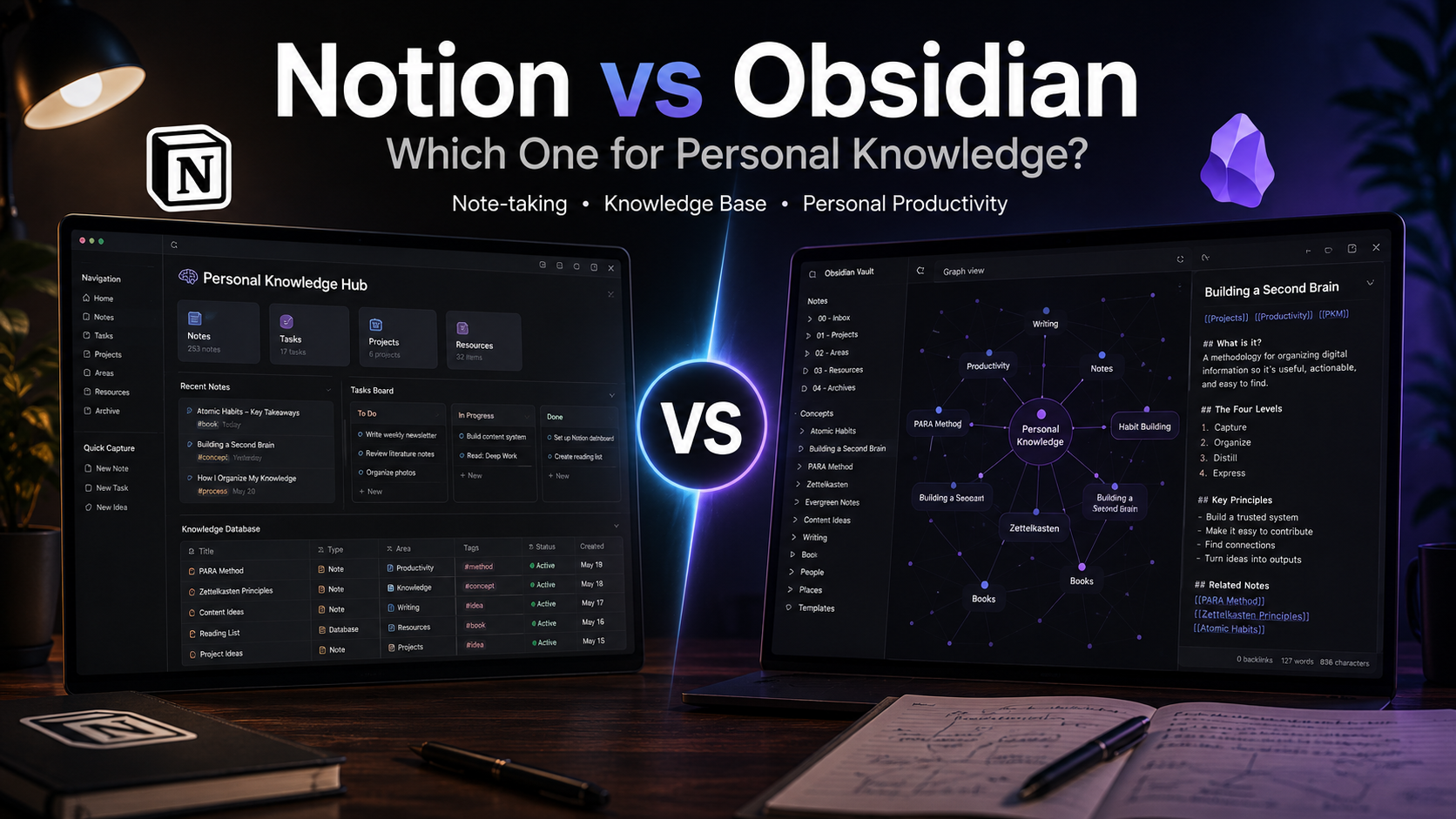
Notion vs Obsidian for personal knowledge in 2026 isn’t a “which is better” question — it’s a “which philosophy fits you” question. Pick Notion if you think in databases (kanban boards, structured records, filtered views), want a polished mobile app, and don’t mind your data living in someone else’s cloud. Pick Obsidian if you think in connected text (bidirectional links, emergent structure, plain markdown files on disk), value true data ownership, and don’t mind paying $50/year for sync or wiring it yourself. For most casual note-takers, Notion is easier to start. For long-term second-brain builders, Obsidian wins by year two.
This guide is for anyone deciding which tool to invest the next 1,000 notes into — knowledge workers, students, indie founders, researchers, lifelong learners. Both apps have free personal tiers, both work in 2026 without compromise, and both attract loyal communities. We’ve used both daily for years and will show you what each one actually wins at, where it quietly loses, and the four real decisions that separate the two.
Quick Answer: Pick by Your Mental Model
If your notes are mostly structured records — projects with statuses, reading lists with ratings, contacts with tags, recipes with ingredients — you want Notion. Its database views (table, kanban, calendar, gallery) are the heart of the product, and nothing else does them as cleanly. If your notes are mostly thoughts that connect to other thoughts — ideas, references, journal entries, research, anything that grows into a network rather than a list — Obsidian’s bidirectional links and graph view are built for exactly that. You can hammer either tool to do the other thing, but the fight is real and you’ll feel it daily.
The Core Philosophical Difference
Notion: databases that hold text
Everything in Notion is a block — paragraphs, headings, embeds, and databases are all blocks. The killer feature is the database: every row is a page, every column is a typed property, and you can view the same data as a table, kanban, calendar, gallery, or timeline. That’s powerful for tracking things — books to read, content to write, expenses, OKRs. It’s less natural for thinking, because every note has to fit into a schema you decided upfront.
Obsidian: text files that connect
Obsidian opens a folder on your disk full of plain markdown files and renders them with WYSIWYG. There’s no schema, no required structure — just [[wiki-style links]] between files. The “second brain” people love it because connections emerge over time without forcing you to categorise first. The graph view shows you what’s connected to what, which surfaces patterns you didn’t plan.
Why the philosophy matters
Pick the wrong tool and you’ll feel friction every day. Forcing journal entries into a Notion database is awkward — you’ll either dump them into one giant page or fight the schema. Forcing a recipe collection into Obsidian works but loses kanban-style “to cook this week” filtering. The right tool is the one that matches how you naturally think.
Capture, Writing, and Daily Friction
Speed of new notes
Obsidian wins on raw capture speed. Cmd+N creates a new file instantly, no spinner. Notion’s “New page” usually involves a 1–3 second cloud roundtrip — fine, but noticeable when you’re trying to write down a thought before it escapes. On Notion, large workspaces with many embeds can take 2–5 seconds to load a page; Obsidian opens local files in under 100ms regardless of vault size.
Mobile experience
Notion’s mobile app is genuinely good — quick capture, smooth editing, decent search. Obsidian’s mobile app works but feels less polished, especially for editing tables or moving blocks around. If you take notes primarily on a phone, Notion has a clear edge. If you mostly write at a desk, the gap doesn’t matter.
Formatting and rich content
Notion handles embedded videos, PDFs, images, and code blocks elegantly out of the box. Obsidian shows the same content but the PDF and image experience is rougher — files live in your vault, so you’re managing storage yourself. For visually rich notes (slide-style summaries, image-heavy journals), Notion is more pleasant.
Linking, Search, and Retrieval
Bidirectional links and backlinks
Both tools support backlinks now, but the experience is different. In Obsidian, every [[link]] is bidirectional by default — open a note and you immediately see every other note that mentions it. In Notion, backlinks exist but feel bolted on; the workflow is mostly “I’ll search for what mentions this.” For knowledge that emerges from connections, Obsidian’s model is the right one.
Graph view: useful or just pretty?
Honestly, both. Obsidian’s graph looks great in screenshots and is occasionally insightful for finding orphaned notes or clusters of related ideas. After 2,000+ notes it gets too dense to read. Most heavy users disable it after the novelty wears off. Don’t pick a tool based on graph alone.
Search
Obsidian’s local search is near-instant even with 10,000 files — it indexes plain text on disk. Notion’s search has improved a lot in 2024–2025 but still feels slower on large workspaces, and AI search costs you tokens. For raw “find that thing I wrote 6 months ago,” Obsidian is more reliable. For “summarise everything I have on X using AI,” Notion’s built-in AI is more useful.
Pricing, Sync, and Data Ownership
Free tiers in 2026
Both are free for personal use. Notion Personal includes unlimited pages, unlimited blocks, basic Notion AI features, and 5MB file uploads. Obsidian is free forever for personal use — no feature gates, no upload limits. Obsidian’s paid add-ons are Sync ($50/year) and Publish ($25/year, for hosting public sites from your vault). Commercial use of Obsidian requires a $50/year per-user license.
Sync between devices
Notion syncs across devices automatically — that’s the whole product. Obsidian Sync ($50/year) does the same with end-to-end encryption. You can also DIY: iCloud Drive, Dropbox, Syncthing, or a Git repo all work, but each has quirks (iCloud occasionally eats files; Git requires command-line comfort). Most non-technical Obsidian users end up paying for Sync.
What happens if the company disappears
This is the biggest single difference. Notion notes live in Notion’s cloud — if the company is acquired, raises prices, or shuts down, you have a data export but rebuilding your workspace elsewhere is painful (formatting, databases, and links all need rewiring). Obsidian notes are plain markdown files on your disk — if Obsidian disappears tomorrow, you open the same folder in any other markdown editor and lose nothing. For lifelong knowledge bases, this matters.
Side-by-Side Comparison
| Criterion | Notion | Obsidian |
|---|---|---|
| Free for personal use | Yes, generous | Yes, no limits ever |
| Where data lives | Notion’s cloud | Plain markdown files on your disk |
| Sync between devices | Free, automatic | $50/year, or DIY |
| Database views | Native, excellent | Via Dataview plugin |
| Bidirectional links / graph | Basic backlinks | Core feature, graph view |
| Offline use | Partial (read-only mostly) | Full, native |
| Mobile editing | Excellent | Works, less polished |
| AI features | Native Notion AI | Via paid plugins / your own keys |
Who Picks Which — Real Use Cases
“I want to track books, movies, recipes, projects”
Notion, decisively. Database views are exactly this. A “Books” database with status, rating, and “to read this year” filter is a 5-minute build. The same in Obsidian needs the Dataview plugin, custom query syntax, and ongoing maintenance.
“I’m building a second brain / Zettelkasten”
Obsidian. Zettelkasten is the whole reason the bidirectional-links community exists. Plain text + tags + atomic notes + links is the workflow it was designed for. Notion can simulate this but feels constantly off-pattern.
“I’m a student keeping course notes”
Either, but lean toward Obsidian if you want to use the notes for years and lean toward Notion if you’ll abandon them after graduation. Obsidian’s local files mean your degree’s notes work on any device you buy in 2030. Notion’s better mobile means easier capture during lectures.
“I run a personal blog or want to publish notes”
Obsidian Publish ($25/year) lets you share specific notes from your vault as a website with backlinks and graph. Notion has free public-page sharing, but customisation is limited. For “digital garden” aesthetics, Obsidian Publish is the cleaner choice.
“I need a poor-man’s CRM or task tracker for my side project”
Notion. Databases handle this cleanly without external tools. We’ve discussed when Notion stops being enough in our roundup of CRM picks for small business — Notion works for very small loads but breaks at scale.
Real Pitfalls of Each
Notion’s pitfalls
Page-load slowness with large workspaces. Vendor lock-in: data export gives you a Markdown zip, but databases and inline embeds lose fidelity. Heavy reliance on internet — most actions need a roundtrip. Notion AI tokens can run out faster than you expect. Public sharing settings are easy to misconfigure (we’ve seen private docs accidentally indexed by Google).
Obsidian’s pitfalls
Plugin rabbit hole — the community has 1,500+ plugins and you’ll spend the first month tweaking instead of writing. Sync setup hassle if you skip the $50/year. Mobile editing for tables is genuinely annoying. No realtime collaboration. Settings drift across devices unless Sync handles it. If you’re new to markdown, the learning curve is real.
Both share
The “perfect setup” trap — spending more time configuring than writing. Both tools support API/automation: Notion’s official API is well-documented; Obsidian has webhooks via community plugins. If you want to wire either into a workflow with other apps, our notes on how webhooks work and no-code API tools for testing them apply.
Decision Framework
Pick Notion if you mostly track structured things (projects, books, contacts), you take notes mostly on mobile, you want native AI built in, and “easy to start” matters more than “easy to keep for 10 years.”
Pick Obsidian if your notes are mostly thoughts that connect, data ownership matters to you, you write mostly at a desk, you don’t mind paying $50/year for sync (or wiring it yourself), and you’re building a knowledge base you expect to use for 10+ years.
Use both if you have distinct use cases: Notion for project tracking, Obsidian for thinking. Many heavy knowledge workers run this split — it’s the “use the right tool for the job” answer rather than forcing one tool to do everything.
Look elsewhere if your needs are team-collaboration heavy. Our broader comparison of Notion alternatives including Confluence and Nuclino covers team-focused options.
Conclusion
The honest answer to Notion vs Obsidian for personal knowledge in 2026 is that there isn’t a winner — there’s a fit. Notion is the right pick for database-shaped thinking, polished mobile, and easy-onboarding. Obsidian is the right pick for connected-text thinking, long-term ownership, and offline reliability. Try both for two weeks each with the same actual notes (not a pretend setup), and you’ll feel which one wants to help versus which one is fighting you. That’s your answer.
FAQ
Is Notion or Obsidian better for personal use?
Neither is universally better — it depends on how you think. Notion fits people who like structured databases and need polished mobile capture. Obsidian fits people who think in connected text, value data ownership, and write mostly at a desk. Both have generous free personal tiers.
Is Obsidian really free forever?
Yes for personal use, with no feature limits. The optional paid add-ons are Sync ($50/year for end-to-end-encrypted cross-device sync) and Publish ($25/year for public-website hosting). Commercial use requires a $50/year per-user license, but personal use of any kind stays free.
Can I migrate from Notion to Obsidian?
Notion exports to Markdown, and there are community importers that convert Notion’s structure into Obsidian-compatible vaults. The migration is imperfect: databases become flat folders, inline embeds may break, and links sometimes need manual repair. Plan a weekend if you have 500+ pages.
Does Obsidian work offline?
Yes, fully — it’s a desktop/mobile app that opens files directly from your local disk. No internet required for any feature except Sync, Publish, or specific plugins that hit external APIs. This is one of Obsidian’s biggest strengths over Notion, which is mostly cloud-dependent.
Which is better for AI-assisted notes?
Notion has native AI built in — Q&A across your workspace, summarise, draft, translate — included on most paid tiers. Obsidian has community AI plugins (like Smart Connections or Copilot) that require your own OpenAI/Anthropic API key. Notion’s AI is easier; Obsidian’s is more flexible and often cheaper at scale.
Can I use both Notion and Obsidian together?
Yes, and many people do. Common split: Notion for structured tracking (projects, books, content calendar), Obsidian for thinking, research, and journaling. Keep them separate — trying to sync the two in real time creates more problems than it solves.